AI for Small Business Marketing: What Works In 2026

Jesus Malo · CMO, Marblism

AI for small business marketing works best when you sort your marketing by job first. It can finish your social posting, your blog drafts, your ad targeting, your website chat and your local listings. It only speeds up your analytics, your email and your design. It quietly damages your cold outreach unless you keep it small and targeted.
A one-person marketing department covers nine distinct jobs. They span everything from social and content to ads, chat, local listings, analytics, email, design and outreach. That's the whole job, in other words. Sorting by job instead of by tool is what tells you where to spend money and where to leave a task alone. That is because two tools built for the same general purpose can land in completely different buckets, once you look at what each specific job actually needs from you.
Eight of these nine jobs run on a real free tier, at no cost to you. My take on the ninth, cold outreach, is that it is worth avoiding altogether unless you keep the list small and the targeting real. That is because the same volume that makes AI cheap there is what gets a domain marked as spam.
If what you want is a straight roster of products rather than a job-by-job breakdown, our roundup of AI tools for small businesses covers that instead.
TL;DR
Nine marketing jobs get nine different verdicts. AI can finish five of these outright, it just speeds up three more, and it actually makes one, cold outreach, worse once you push real volume through it.
A realistic paid stack for a solo owner is about $32 a month, and the cheapest genuinely useful setup is $0.
Start with whichever of the nine jobs is eating the most hours right now. For most solo owners that is social posting or blog drafting. Run the free tier for a month, and only add a paid tool once it has visibly cut that time.
| Marketing job | How far AI gets on its own | Where you still come in |
|---|---|---|
| Social posting | Finishes it | Approving tone and claims |
| Blog and SEO content | Finishes a publishable draft | Choosing topics, adding first-hand detail |
| Paid ad targeting | Finishes it, better than you can | Budget, creative direction, the offer |
| Website chat | Finishes routine questions | Escalation rules, product facts |
| Local listings and reviews | Drafts the replies and listing copy | Reading each one before it posts |
| Analytics and reporting | Summarizes the numbers | Deciding what the numbers mean |
| Email marketing | Speeds up the writing | Strategy, list health, segmentation |
| Design and creative | Speeds up production | Brand judgment, the final call |
| Cold outreach and lead gen | Makes raw volume worse | Keeping the list small and real |
Three buckets every marketing job falls into
Before any tool decision, place each job on two axes. One is how much of it AI can complete without you. The other is what one bad item costs when it slips out. Those two questions are really all you need to know which of three buckets a job falls into.
First, the jobs AI just finishes for you. The work is high volume, low stakes per item, and success is measurable. A social post that lands badly costs you almost nothing and teaches the system something. This is where handing over the whole job is rational.
Then there's the middle group, where AI only speeds things up. The work has real consequences per item and depends on context AI does not have. AI drafting your launch email saves an hour. AI deciding who receives it and when loses you subscribers. Keep the judgment (who gets the email, and when), and hand AI only the typing.
And then there's the group where AI actually makes things worse. The work depends on the recipient believing a human chose them. Adding volume here is actively harmful, because the thing being scaled is the thing that made it work.
The costly mistake is not picking the wrong tool. It is running cold outreach at the same volume you'd use for social posting. Nothing in the software stops you from doing it.
Nine marketing jobs, and how far AI gets on each
1. Social media posting
What AI finishes
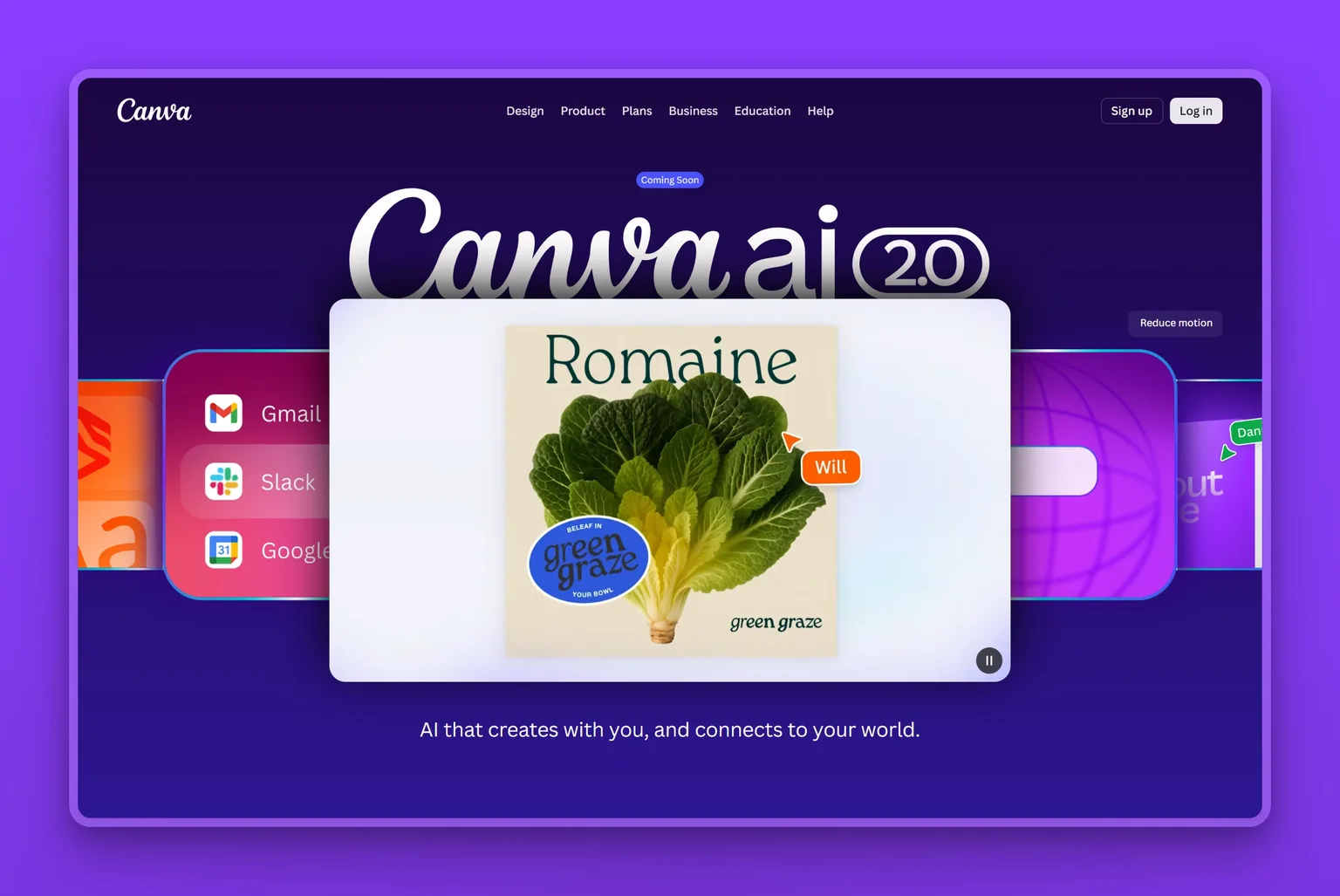
Buffer or Canva will generate a month of platform-appropriate posts, produce the images, schedule them at sensible times, and keep going without you touching them again. Sonny will run that same loop end to end with no daily input at all. The stakes per post are low and the volume requirement is high, which is exactly the shape AI handles well.
Where you still do the work
Claims about your own business. AI does not know that you stopped offering a service in March, and it will advertise it anyway. Approve anything that states a fact about you, hours, prices, services offered, before it publishes.
AI social media tools and what they cost
Buffer is free for three channels and $5 per channel a month on Essentials if you want to schedule and analyze rather than generate. Canva has a free tier with a monthly AI allowance that covers most small business design. A paid Pro plan adds the brand kit and premium library when you outgrow it.
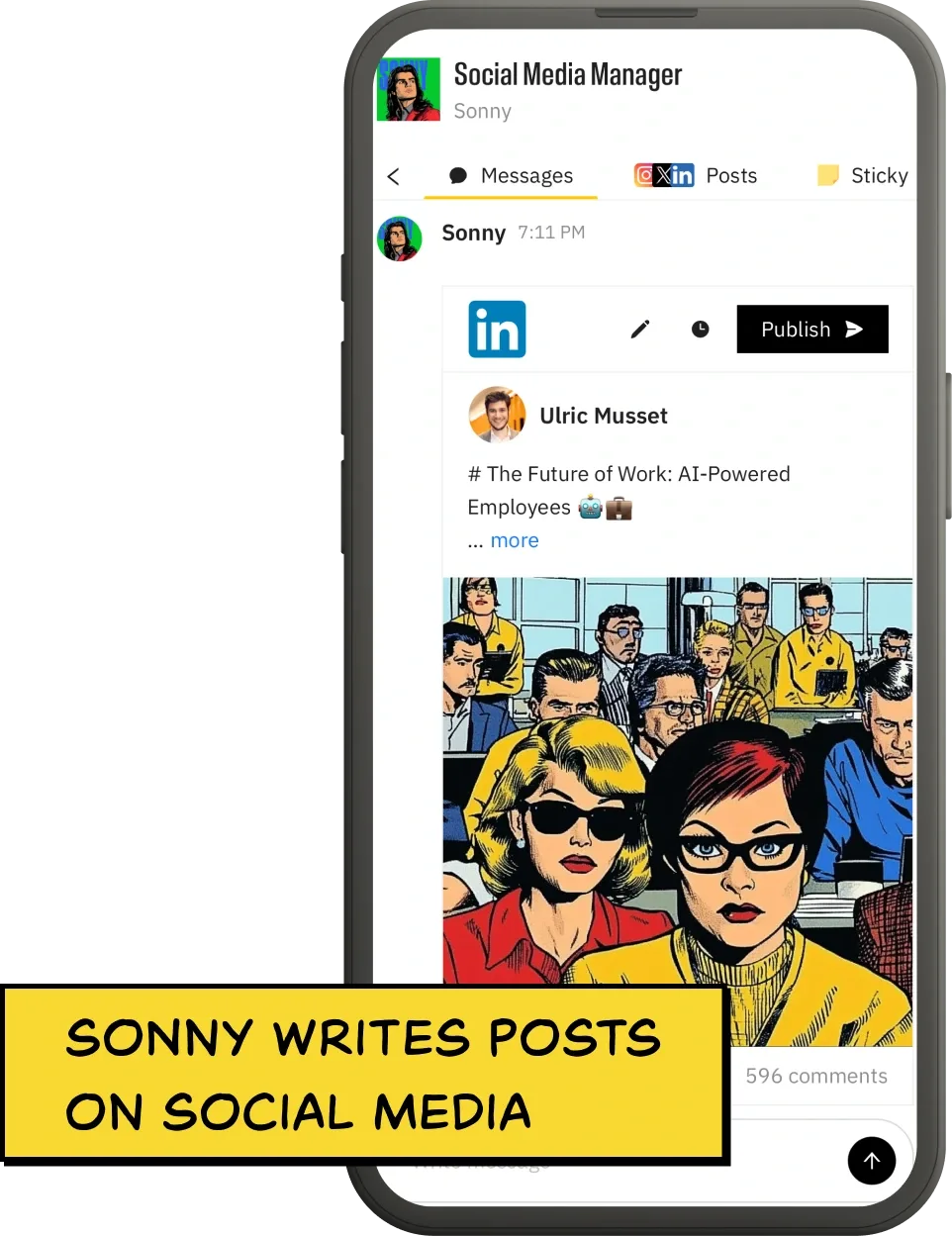
If you would rather hand the job over than run the tools yourself, Sonny writes the posts, designs the visuals, and publishes to Instagram, LinkedIn, X and Facebook up to three times a day. Your approval is required before anything goes public. It is the same hands-off posting workflow that lets an owner stop opening the scheduler every morning.
2. Blog content and SEO
What AI finishes
A publishable draft, reliably. ChatGPT and similar models will draft a correctly structured, on-topic article of 800 words or more in under a minute. Tools connected to your CMS will also publish them on a schedule without you opening the site.
Where you still do the work
Two things decide whether any of it ranks. Topic selection is the first one. AI will write whatever you ask, including the twenty articles nobody is searching for.
The second is first-hand detail. The pages that win now carry something the model cannot produce, such as your actual prices, your real failure cases, a photograph of your work. That's exactly what Google's helpful-content guidance rewards. That is why it beats a generic AI draft on the same topic by a growing margin.
AI blog and SEO tools and what they cost
ChatGPT is free at the entry tier and $20 a month for Plus, and it will draft, outline and edit competently. For topic selection, your own Search Console is free and better than any keyword tool for finding what you already nearly rank for.
Dedicated marketing-writing tools sit well above that. Jasper has no free plan and runs $59 a month billed yearly, or $69 month to month. That is more than an entire six-employee bundle costs, so it only earns its price if writing is the one job you do at real volume.
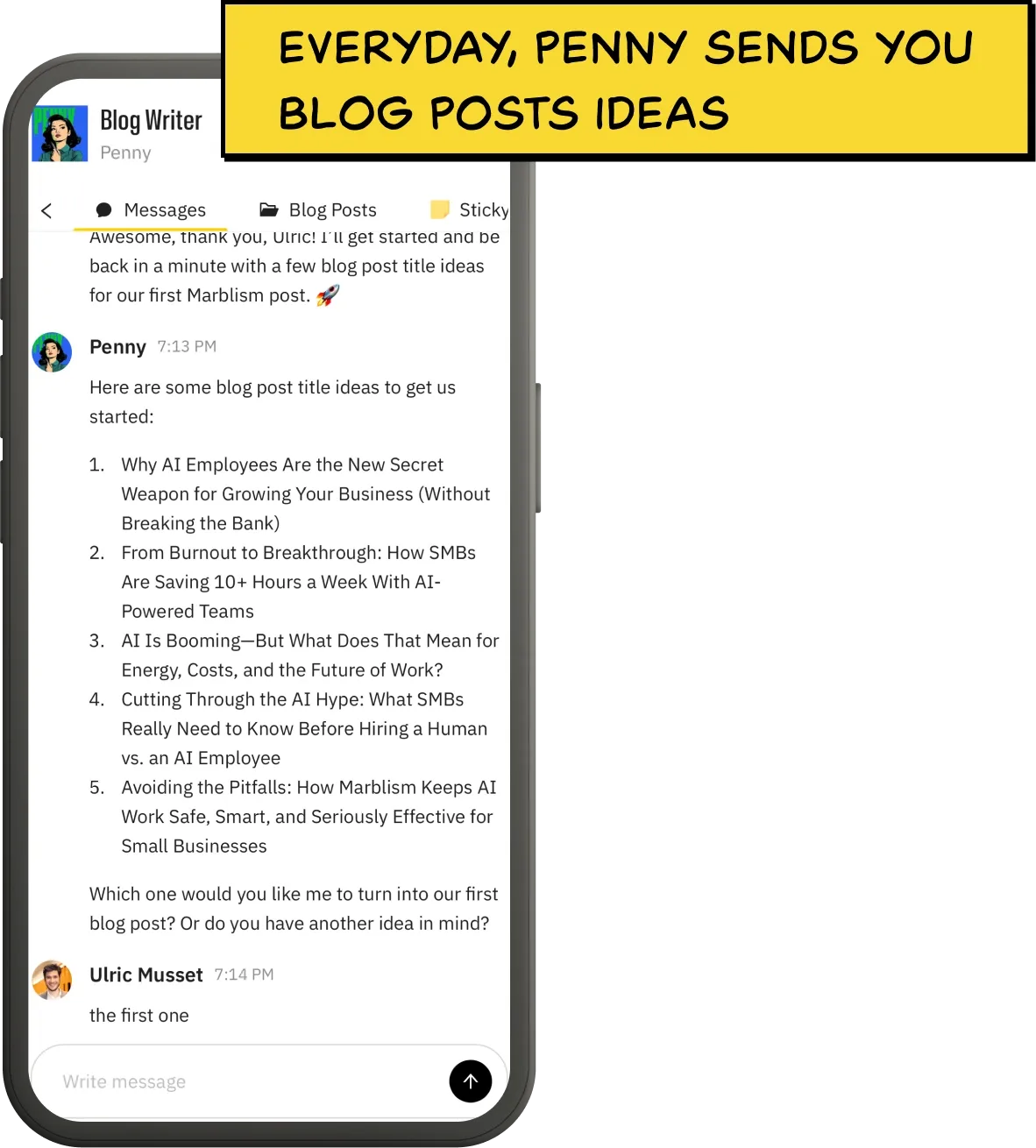
Penny runs the whole loop instead. It does keyword research from a database Marblism puts at over a billion keywords, and drafts in your voice. Then it publishes straight into WordPress, Webflow, Shopify or Wix on a daily or weekly cadence. Marblism advertises roughly double the organic traffic in six months from that same daily-or-weekly drafting cadence, all published without the owner ever opening a CMS.
3. Paid advertising
What AI finishes
Targeting and bidding, and it does both better than a small business owner can by hand. Google Performance Max and Meta Advantage+ decide who sees your ad, where, and at what bid, adjusting continuously. This is the one job where the AI is free, already inside an account you have, and genuinely more capable than you are.
Where you still do the work
The budget, the offer and the creative. Automated bidding optimizes toward the goal you set, so a badly chosen goal gets pursued efficiently and wastes your budget. Set a real conversion as the target, not a click.
AI ad tools and what they cost
No extra subscription. The automation is part of Google Ads and Meta Ads, and it costs whatever you were going to spend on ads.
If you are choosing between spending on ads or on content, note that ads stop the day you stop paying. For most small businesses, that argues for fixing the free channels first.
Try the free tier already built into your ad account before layering on a paid tool. It's the same approach the Small Business Administration's guidance on AI recommends for small businesses testing new tools.
4. Website chat and lead capture
What AI finishes
The routine questions, around the clock. Opening hours, whether you cover an area, what something costs, where an order is. For a business that loses leads overnight, this is real recovered revenue.
Where you still do the work
Escalation. The value is in a clean handoff when the question is unusual, and the damage is in a bot that confidently invents an answer instead.
AI chat tools and what they cost
Tidio starts free for basic live chat with a small allowance of Lyro AI conversations. Paid plans start from about $24 a month on annual billing, with the AI itself billed per conversation on top of that. Budget for the conversation volume, not just the plan. HubSpot's CRM is free for two people and holds every lead your chat widget hands off, so nothing you catch overnight gets lost. Paid seats start around $20 a month, often discounted.
5. Local listings and reviews
What AI finishes
The drafting. AI writes a first version of a Google Business Profile description, keeps your listing details consistent across directories, and drafts a reply to each new review in your tone. For a local business, showing up in the map pack and answering reviews is often the highest-return marketing there is. The drafting was the part that never got done.
Where you still do the work
Reading every reply before it posts, and never letting AI ask for the review in the first place. Replying to a review and soliciting one are different jobs. The reply is safe to draft with AI, the request is not. A review earned by an automated nudge is the kind of relationship work that only counts when a person does it.
Local visibility tools and what they cost
Google Business Profile itself is free, and a general assistant like ChatGPT drafts the listing copy and review replies at no extra cost. There is rarely a reason to buy a dedicated tool here as a small business. The rest of what actually moves local rank, citations, review velocity, and category accuracy, is free to fix without a subscription too.
6. Analytics and reporting
What AI speeds up
Turning a spreadsheet of numbers into a plain-English summary. It can tell you that Tuesday posts outperform Friday ones, that one campaign drove most of last month's leads, or that a page's bounce rate jumped. All of that surfaces faster than you would find it by scrolling a dashboard yourself.
Where you still do the work
Deciding what the numbers mean and what to do next. AI is good at describing a pattern and bad at knowing whether it is a fluke, a seasonal blip, or a real signal worth acting on.
This is also where conversion-rate testing lives. AI can suggest a headline or a call-to-action worth testing, but you choose what to test and you read the result. It is not a separate job so much as this one and the design job working together.
Analytics tools and what they cost
Google Analytics is free and its built-in insights already flag unusual jumps and drops without a separate subscription. For a plain-English monthly summary, feeding the export into a general assistant like ChatGPT costs nothing extra if you already pay for Plus. There is rarely a reason for a small business to buy a dedicated AI analytics tool before it has outgrown these two.
7. Email marketing
What AI speeds up
The writing, not the strategy. It produces a good first draft of a campaign and suggests subject lines, and that is worth having.
Where you still do the work
The parts that determine whether email works at all. Who is on the list, how they got there, how often you send, and what goes to which segment. These are judgment calls with consequences. A wrong one costs you subscribers permanently, rather than costing you one bad post. Segmentation is the piece I see solo owners skip most: one list, one send, to people who signed up for different reasons.
AI email tools and what they cost
MailerLite is free up to 250 subscribers and 2,500 emails a month, with the Comfort plan from $12 a month and Power from $25, scaling by list size. Pair it with whichever general assistant you already pay for rather than buying a separate AI writing tool for this one job.
8. Design and creative
What AI speeds up
Production. Backgrounds removed, formats resized, variations generated, a passable graphic made from a sentence.
Where you still do the work
Deciding what is on brand and what is embarrassing, an AI-generated graphic with the wrong logo color, or a stock photo that does not match your actual storefront. AI image tools produce a lot of near-misses at speed, and the cost of shipping one of them is borne by your reputation rather than by the tool. The near-miss I would flag hardest is a generated photo of your own storefront or product that is subtly wrong, since that is the one a regular customer notices first.
This is also the job that carries most of what people call conversion-rate optimization for a small business. Which image wins, which headline, which button, that's a design decision paired with the analytics job. It is not a separate tool to buy.
AI design tools and what they cost
Canva again. Its free plan covers layout, resizing and basic AI image edits. A second design tool only earns its keep once you need brand-kit locking or the premium stock library Canva Free withholds.
9. Cold outreach and lead generation
What AI makes worse
Cold email and connection requests only ever worked because a real person picked you and had a reason. AI makes it trivial to send a thousand messages that each claim to be personal, and recipients recognize the pattern immediately. The volume AI unlocks is the exact property that destroys the channel, and it takes your sending domain with it when the spam complaints arrive.
Where you still do the work
Choosing who genuinely fits your ideal customer profile, and writing an opening line that references something true about their business rather than a merge-tag. AI can help you research a prospect and tighten your wording. It should not decide who gets contacted, or send at a volume you could not defend.
AI lead-gen tools and what they cost
Kept small and targeted, this job can be handed over safely. Dedicated cold-email tools like Instantly send from your own connected inboxes and start around $47 a month. That own-inbox model is standard across the category, rather than a differentiator.
Stan runs it inside the same platform as your other functions, and the discipline is the point, not the reach. Tell him your ideal customer, and he scores and verifies a matching lead list rather than dumping a bought list on you unfiltered. You end up choosing from real, checked prospects instead of guessing. He sends the first email and LinkedIn connection request from your own inbox and drafts each follow-up, with your approval before anything sends.
Either way, cap the list yourself. Verify each contact before they are contacted, and keep a first campaign to a few hundred prospects a month, not thousands. A small list you can personally stand behind gets more replies than a huge one you cannot.
One workflow you can copy
Waletha Garrett runs Product Pusher LLC, a content-driven business built on a daily online presence. Creating content was never the hard part. Posting it on time, scheduling weeks ahead, and staying consistent across every platform was the part she kept failing to do.
Her stack runs four jobs, aimed at consistency rather than net-new leads. Sonny keeps the social calendar scheduled ahead instead of drafted at 11pm, and Penny writes the blog posts. Stan runs sales outreach in the background, and Eva handles the admin and email that used to eat the time she needed for content. She reports 50-plus hours saved and posts landing on schedule 100% of the time, in her words, "more time to nurture my brand."
Her bottleneck is the common one: one person, every marketing job, no hand-off. The fix is not more hours worked. It is the repetitive half of each job, the posting schedule, the blog draft, the outreach, moved onto something that does not need to sleep.
What an AI marketing stack actually costs
| Setup | What it covers | Cost per month |
|---|---|---|
| Free starter | ChatGPT free, Buffer for 3 channels, Canva free, MailerLite to 250 subscribers, HubSpot free CRM, Google Analytics, Google Business Profile, Google and Meta ad automation | $0 |
| Solo paid | ChatGPT Plus at $20 and MailerLite Comfort from $12, with design, scheduling, local, analytics and chat still on free plans | about $32 |
| Handed over | All six Marblism AI Employees on one bill, covering content, social, outreach, inbox, calls and contracts | $24 annual, $44 monthly |
The free stack is not a compromise for most owners starting out. It genuinely covers social scheduling, drafting, design, local listings, a small list, basic analytics and the ad automation. That's more than most small businesses were doing before.
What actually matters is cost against hours reclaimed each week, not one stack's sticker price against another's. Two paid subscriptions at about $32 a month still leave every job on your desk, because each of those tools waits for you to open it. Marblism runs $24 a month on annual billing, which is about $288 a year. Quarterly billing runs $33 a month, and monthly runs $44, with a 7-day money-back guarantee rather than a free trial. Every plan carries all six AI Employees, and each one checks with you before anything goes out.
Where AI marketing goes wrong
Small businesses misuse AI marketing tools in four ways, over and over.
Publishing volume nobody asked for. The cheapest thing AI does is produce more, so that is what people buy it for. A large batch of thin articles targeting nothing will not outrank a handful that answer a real question. Google's own spam policy names this pattern directly, not the tool that wrote it.
Publishing at scale to game rankings instead of helping a reader is what gets penalized. Whether AI-generated content is good for SEO comes down to the same test.
Automating the relationship instead of the admin. The jobs safe to hand over are the repetitive ones, scheduling a post, drafting a blog outline, logging a lead. They are not the ones where a relationship is the point. Reviews you request, referrals and outreach depend on the customer believing a person was involved. Automating those saves an hour while costing a relationship.
Letting it speak for you unchecked. Models state wrong things fluently. A confident invented price, policy or opening time reaches a customer as fact. Anything asserting something about your business needs a human yes.
Buying the tool before naming the bottleneck. Owners buy an AI tool for a job that was not actually the constraint, then cancel two months later having learned nothing. I would name the job eating the most hours this month before opening a single pricing page. That job, not a feature list or a discount, is what should decide which tool you buy.
None of this is a reason to stay out. The businesses getting hurt are the ones that pointed AI at the wrong jobs, not the ones that were careful about which.
Your first month, without wasting money
- 1. Write down where the hours went last week. Not where you think they went. The job at the top is the only one you should automate first.
- 2. Take the free version of the tool for that one job. Every category above except cold outreach has a real free tier.
- 3. Run it for four weeks, unchanged. Long enough to see whether you keep opening it.
- 4. Measure the hours back, not the output. More posts is not the win. Getting your Sunday evening back is.
- 5. Only then add a second job. If three or more jobs are all still on you at the end of this, you have reached the tipping point. Handing over a set of functions now costs less than adding another subscription.
If you would rather skip the tool-by-tool assembly entirely, the alternative is handing the functions over as jobs. That is what Marblism's AI Employees are. Penny handles content and SEO, Sonny handles social, Stan handles lead generation, and three more cover the inbox, the phone and contracts, on one bill. Each one waits for your approval before anything is published or sent.
Frequently asked questions
Cost and whether it's worth it
What is the cheapest way to start?
Not by adopting a whole stack on day one. Pick whichever single free tool fixes your biggest bottleneck, Buffer for social, Canva for design, MailerLite for email, and run only that one until it earns a second. OpenAI has recently launched a program aimed at small businesses new to AI, a sign the free entry point keeps getting easier to reach, not harder.
What runs out first on the free plans?
Each free tier has one cap you hit before the others. Buffer's free plan stops at three connected channels. MailerLite's free plan stops at 250 subscribers and 2,500 emails a month. Canva's free plan meters its monthly AI image and design credits.
Tidio's free chat includes only a small allowance of Lyro AI conversations before it starts billing per conversation. ChatGPT's free tier throttles you to a weaker model under heavy use. Most owners hit the email and channel caps first, and never outgrow ChatGPT's free tier at all. Pay for the one that is actually blocking work, rather than upgrading everything at once.
Is AI marketing worth it for a small business?
Judge it on hours returned after a month, not on how much content it produced. On the jobs where AI finishes the work, social posting, blog drafting, ad targeting, website chat and local listings, handing it over reliably gives you evenings back. That is the whole point.
It is worth much less on analytics, email strategy and design judgment, where it speeds up production without removing the decisions. It is worth less than nothing on raw, high-volume cold outreach, where the volume it enables is what breaks the channel. If you have your Sunday evening back after four weeks and nothing embarrassing went out, it was worth it.
Getting results
Is there one AI tool that handles all of small business marketing?
For a side-by-side of the best single-purpose tool per job, our roundup of AI tools for small businesses covers that ground.
If the problem is that every one of these jobs lands on one person, look at the all-in-one platforms instead. They run whole functions rather than assist you. There are two kinds.
One is no-code agent builders like Lindy, which you assemble and wire up yourself. The other is done-for-you rosters like Marblism, whose six AI Employees ship pre-built: Penny on content and SEO, Sonny on social, Stan on lead generation, and three more for the inbox, calls and contracts. All six start from $24 a month on annual billing.
How do I keep AI marketing from sounding generic?
Feed it your real prices, your actual customer objections and three examples of things you have written, rather than asking for a generic post about your industry. The tell of generic AI copy is that it would be true for any competitor, so the fix is anything only you could have written. Read every piece for factual claims about your business before it goes out, because that is where the fluent, confident, wrong sentences appear.
Disclosure and customer data
Should I tell customers I use AI in my marketing?
For published marketing content, no disclosure is expected or useful. For anything conversational, a chat widget or a phone line, being straightforward when asked is the right default, and several reputable tools disclose it by default. The line that matters is not disclosure but accuracy. A customer will forgive finding out a bot answered, and will not forgive being told a wrong price.
Is it safe to feed customer data into AI marketing tools?
Be careful with anything that identifies a specific customer. That includes their email, phone number, purchase history, or payment details. Most consumer AI tools use what you type to improve their models, unless you are on a business plan that turns that off. Strip names and contact details before pasting a customer list into a general assistant for a summary.
Check a tool's data-retention setting before connecting it to your CRM, your ad account, or your email platform. This is a different risk from a wrong sentence slipping into a post. It is a customer's information leaving your control, not just a factual error in your copy.
Start with social posting
If you are not sure which job to hand over first, start with social posting. It is the one AI finishes outright, the one that quietly takes up the most evenings. It is also the one where a single off post costs you almost nothing while you learn what the tool does well.
Run it free for a month, measure the hours it gives back, and only then decide whether a second job is worth paying for. Of the nine, that is the one I would bet on first for almost any small business, precisely because getting it wrong once costs so little.
If it turns out several jobs are on you at once, the numbers add up fast. Two paid tools already run about $32 a month and still leave the work on your desk. Marblism's six AI Employees start at $24 for the whole set, with Penny on content, Sonny on social and Stan on leads. Each one waits for your approval before anything goes out.