Your AI Social Media Cheat Sheet: Prompt Templates & Workflows for Sonny

Jesus Malo
CMO, Marblism
December 3, 2025

Remember when creating social content meant staring at a blank screen for hours, wondering what to post? Those days are officially over.
Meet Sonny, your AI Social Media Manager who doesn't just schedule posts: he creates them. But here's the thing: even the smartest AI works better with the right instructions. That's where this cheat sheet comes in.
"The difference between good AI content and great AI content isn't the tool: it's how you talk to it."
Whether you're running a solo consultancy or managing social for multiple clients, these battle-tested prompt templates will transform how you work with Sonny. No more creative blocks, no more scrambling for content ideas at 11 PM.
Understanding How Sonny Works
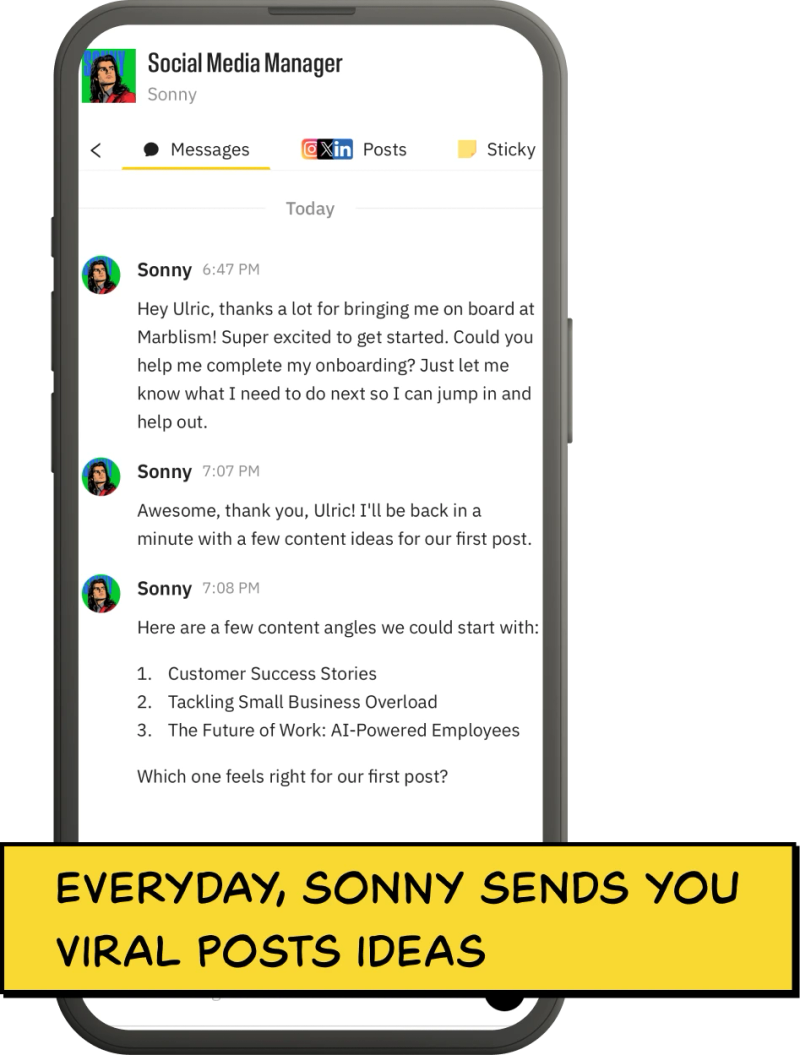
Before diving into templates, let's understand what makes Sonny different. Unlike generic AI tools that spit out robotic content, Sonny learns your brand voice and adapts to your audience. He's posting three times daily across LinkedIn, Instagram, and X while you focus on what matters: growing your business.
The secret sauce? Context. Sonny doesn't just generate content; he understands your business, your audience, and your goals. Feed him the right prompts, and he'll create platform-ready posts that sound authentically you.
Viral Hooks That Actually Work
Hooks make or break your content. Here are Sonny's favorite templates for stopping the scroll:
"Everyone says [common belief], but here's what actually works..."
"3 months ago, I [situation]. Today, [transformation]. Here's what changed everything..."
"Unpopular opinion: [controversial statement]. Let me explain why..."
"What if I told you [surprising fact about your industry]?"
Pro tip: Give Sonny context about your audience's biggest pain points. The more specific you are, the more targeted his hooks become.
Storytelling Scripts That Convert
Stories sell, but structure matters. Here's how to prompt Sonny for compelling narratives:
"Write a story about [your client/customer] who struggled with [specific problem], discovered [your solution], and achieved [specific result]. Include the emotional journey and lessons learned."
"Share the story of [business milestone/failure/learning moment]. Focus on the human elements, the mistakes made, and the insights gained. Make it relatable to [target audience]."
"Transform this client result into a story: [client background], [challenge faced], [solution implemented], [specific outcomes]. Write it as a narrative, not a boring case study."
Product-Focused Posts That Don't Feel Salesy
Nobody likes being sold to, but everyone loves solving problems. Here's how to make product posts feel helpful:
Content TypeTemplateExample Use CaseProblem-Solution"Tired of [problem]? Here's how [product] solves it in [timeframe]..."SaaS tools, servicesFeature Spotlight"Here's a feature most people don't know about: [feature]. It helps you [benefit]..."Software, appsComparison"Why we chose [approach] over [alternative] when building [product]..."Any product launchTutorial"Quick tutorial: How to [achieve result] using [product feature]..."Educational content
"The best product posts solve problems first, sell second."
Brand-Building Content Templates
Building a brand isn't about logos: it's about values, personality, and consistency. Here's how to prompt Sonny for brand content:
"Write a post about why we [took specific action/made specific decision] and how it reflects our commitment to [core value]. Include examples of how this shows up in our work."
"Share our perspective on [industry trend/news]. Connect it to our expertise in [specific area] and explain why this matters to [target audience]."
"Create a post showcasing [team moment/office culture/work philosophy]. Make it authentic and show what makes our team different."
Educational Thread Templates
Educational content positions you as an authority. Here are Sonny's go-to thread structures:
"🧵 Thread: My [X]-step framework for [achieving specific result]:
1/ [Step 1 + brief explanation]
2/ [Step 2 + brief explanation]
[Continue numbering]
[Final tweet with CTA]"
"🧵 I see [target audience] making these [number] mistakes with [topic]:
❌ [Mistake 1]
✅ [What to do instead]
[Repeat pattern]
[Closing with key takeaway]"
"🧵 [Number] things I learned from [experience/situation]:
💡 [Lesson 1 + context]
💡 [Lesson 2 + context]
[Continue pattern]
[Summary tweet]"
Short-Form Video Scripts
Video content gets 5x more engagement than static posts. Here's how to script winners:
"Hook: [Attention-grabbing statement/question]
Story: [15-30 second narrative or demonstration]
CTA: [Clear next step for viewers]"
"Show the problem: [5-7 seconds of 'before' state]
Reveal the solution: [10-15 seconds of transformation]
Explain the method: [5-10 seconds of how it works]
Call to action: [3-5 seconds with clear next step]"
How Sonny Interprets Your Instructions
Understanding how Sonny processes prompts helps you get better results. He looks for:
: Industry, target audience, unique value prop
✅
: Brand awareness, lead generation, community building
✅
: Professional, casual, humorous, authoritative
✅
: Character limits, hashtag strategies, visual needs
✅
: Previous posts that performed well
✅
The more context you provide upfront, the less editing you'll need to do later.
Advanced Workflows for Maximum Efficiency
Workflow 1: Content Repurposing Pipeline
Start with one piece of long-form content (blog post, podcast episode, video) and let Sonny transform it:
Workflow 2: Weekly Content Calendar Generation
"Planning a week of content used to take hours. Now it takes one conversation with Sonny."
Prompt Sonny monthly with this template:
"Create a 4-week content calendar for [platform]. Focus on [main themes]. Include [content mix ratios]. Consider [upcoming events/launches]. Format as a weekly breakdown with post types, topics, and suggested posting times."
Workflow 3: Audience-Specific Content Batches
Create targeted content for different audience segments:
"Write 10 LinkedIn posts for [specific audience segment] focusing on [their main challenges]. Each post should [specific goal]. Use [brand voice]. Include [call-to-action type]."
While Sonny handles your social media, your other AI employees are working too. Eva's managing your inbox, Penny's writing blog posts that rank on Google, and Stan's nurturing those leads that came from Sonny's viral posts.
That's the power of AI employees working together: each handling their specialty while you focus on growing your business.
Getting Started: Your First Week with Sonny
Ready to implement these templates? Here's your action plan:
The best part? Sonny gets smarter with every interaction. The templates that work become the foundation for even better content.
Your social media strategy just went from overwhelming to automatic. Now go create something amazing.