AI Executive Assistant: A Founder's Guide

Ulric Musset
CEO, Marblism
23 de julio de 2026

An AI executive assistant is software that runs the routine side of executive work for you, triaging your inbox, managing your calendar, booking meetings, and chasing follow-ups, acting on its own and around the clock instead of waiting for a prompt. It does that at a fraction of the cost of a human assistant. The tools range from single-purpose helpers that guard one corner of your week to a single assistant that owns the whole role.
Most founders never get an executive assistant. A full-time EA in the United States earns a median of about $76,000 a year, according to Bureau of Labor Statistics wage data, and once you add benefits and payroll tax the real cost clears $95,000. That admin lands back on the founder, usually after 9pm: the inbox you are still clearing at midnight, the follow-up that just cost you a client, the calendar that keeps double-booking you.
An AI version of that help now exists, and it is cheap enough to change the math. "AI executive assistant" covers wildly different products, though, from a tool that only guards your calendar to one that tries to run the whole role. The real task is matching the type to the job costing you the most time, which is what the rest of this page is for. I spent most of my research in the one-star reviews rather than the feature lists, because that is where the difference between a good demo and a tool people keep actually turns up. What follows is how I would think the decision through: what the category is, where it stops, and how I would pick.
The quick version
There is no single best AI executive assistant, because the label covers five different types of tool. Begin with whichever part of the job is eating your week, then match it to the type built for that job. If the whole week is the problem and there is only you to run it, that points to one assistant that owns the role rather than a stack you assemble yourself.
| The job that hurts | What it feels like | Where to look |
|---|---|---|
| The calendar | Double-bookings, no focus time, days with no plan | A scheduling-first assistant |
| The inbox | Hundreds of unread, replies written at midnight | An inbox-first assistant |
| The open-ended asks | Research, drafts, and one-off work all day | A generalist AI assistant |
| Cross-app busywork | The same steps across email, CRM, and docs | A full-scope agentic assistant |
| The whole role | Every part of it is on you, at the same time | A role-based AI employee |
Table of contents
What an AI executive assistant is, and is not
An AI executive assistant is software that owns the administrative half of an executive's week: it triages and drafts email, runs the calendar and books meetings, captures notes, and keeps follow-ups from slipping. What marks the category out is autonomy. You hand over a standing job once and stop issuing a fresh instruction every time. Vendors sell the same thing as an AI administrative assistant, an AI admin assistant, or an AI personal assistant; the label moves around, the work does not.
Three very different products get sold under those words, which is where most buyers go wrong. A chatbot responds to a prompt and retains nothing. A general assistant, the one you open in a browser tab, writes and researches capably but never reaches into your calendar or inbox by itself. Only the third type plugs into the systems your work already lives in and changes something there: it moves the meeting, files the note, chases the reply, and escalates whatever needs a person.
Ask two things. Does it reach into your mail, your diary, and your meetings, or does it sit in a separate window you paste things into? And once it has done something, does it report back on its own, or wait to be asked again? Model, interface, and branding matter far less than those answers.
What an AI executive assistant actually does
Underneath the marketing, the job breaks into five concrete tasks. A given tool might own one of these tasks or all five, and where it stops is what decides whether it fits you.
Inbox triage and replies
It reads incoming mail, sorts what matters from what does not, summarizes the long threads, and drafts the routine replies in your voice. The strong ones file, label, and archive by rules you set in plain language, then surface the handful of messages that need you. The right setup can get you to inbox zero in about ten minutes a day.
Calendar and scheduling
It books, moves, and protects time. That covers finding a slot that works across time zones, holding focus blocks so your day is not all meetings, and handling the back-and-forth of scheduling a call without a dozen emails. The better tools write straight into your Google or Outlook calendar.
Meeting notes and prep
It pulls a brief before the call, captures notes during it, and turns the conversation into a clean summary with action items afterward. For a week of back-to-back calls, this removes a task you cannot do well while also paying attention.
Follow-ups and tasks
It tracks the commitments that fall out of your inbox and meetings, then chases the reply you promised, the document you said you would send, and the person you meant to circle back to. Dropped follow-ups are where deals and goodwill quietly leak, so this is often the highest-value task of the five.
Research and drafting
It absorbs the one-off asks that fit no calendar or inbox: size up a vendor, rough out a proposal, condense a contract, turn a page of notes into a plan. This is the one task a plain chatbot already does well, which is exactly why so many tools stop here and call themselves an assistant.
AI executive assistant vs a chatbot vs an AI scheduler
Three adjacent products get shelved next to AI executive assistants, and the labels blur together. Telling them apart saves you from buying a narrow tool when you needed a broad one.
A chatbot or general AI assistant, the standalone one you open in a browser tab, generates text on demand. Ask it anything and it drafts, researches, and explains. What it does not do at the lower tiers is reach into your inbox or calendar and act. It waits for your prompt, then forgets. An AI executive assistant is defined by the opposite: it connects to your systems and completes the task without being asked each time.
An AI scheduler is a real AI executive assistant, but a single-purpose one. It owns the calendar and nothing else. That is a genuine tool if your bottleneck is scheduling, and the wrong buy if your real problem is the inbox. The most common mistake is picking a calendar tool because it demoed well, then dropping it inside a month because it never touched the job that was hurting.
Is an AI chief of staff the same thing?
"AI chief of staff" is the newest label in this space, and vendors are actively rebadging existing assistants toward it. The distinction matters, because in humans the two roles really are different jobs. An executive assistant runs the recurring admin: email, calendar, scheduling, notes, follow-ups. A chief of staff owns priorities and judgment: deciding what matters most, planning ahead, and representing the executive in rooms they cannot be in. Career guides draw the line at exactly that point, information management on one side, decisions under ambiguity on the other.
| AI executive assistant | AI chief of staff (as marketed) |
|---|---|
| Runs information management: memory, filtering, tracking, drafting, reminders | Claims judgment under ambiguity: priorities, trade-offs, decisions with incomplete information |
| Inputs and outputs are well defined and repeatable | No single right answer; depends on reading people and unspoken priorities |
| What today's AI does reliably | What today's AI barely does |
Today's AI does the first column well and the second barely at all. Someone who reviewed five of the leading agentic "chief of staff" systems put it plainly: every one of them solves information management, the memory, the filtering, the tracking, the drafting, and none of them touch the core function of making judgment calls under ambiguity. In one of the setups he measured, an agent left to act on its own was confidently wrong about once a week.
What matters is the jobs a tool does, not the title on the box. My own read, after watching how these products describe themselves, is that "chief of staff" is mostly repositioning: the same inbox-and-calendar work with a more senior word on the label. If a page promises an AI that sets your strategy, treat it as an AI executive assistant with ambitious marketing until it proves otherwise on the boring, verifiable tasks.
AI executive assistant vs a human EA
Around 70 to 80 percent of the role is repeatable, and that is the share software can carry: triaging mail, holding the calendar, capturing meetings, chasing follow-ups, and putting a first draft in front of you. The other 20 to 30 percent is where it stops. Judgment, discretion, and relationships do not automate, whether that means handling a delicate client or ranking two things that are both on fire. Even executives who are all-in on AI reach the same conclusion. The CEO of one software company who said she would fire anyone who refused to use AI still says it augments her assistant rather than replacing the role.
The limits show up in the boring places first. One Microsoft 365 columnist asked the new Outlook calendar agent to add two workouts to his week and watched it book both at the same time on Friday. Telling it not to double-book did not help, and the agent could not inspect its own work to catch the clash. Quality is the other ceiling operators run into: one head of RevOps told an executive-assistant firm that AI tools are often only 70 percent good and need so much context that they shift work instead of removing it. That is why the approval step matters, and why the safe way in is to let a new assistant draft and book on a short leash before you trust it unwatched.
| Dimension | AI executive assistant | Human executive assistant |
|---|---|---|
| Inbox triage and drafting | Yes, by rules you set | Yes |
| Calendar, scheduling, notes | Yes | Yes |
| Judgment and discretion | No | Yes |
| Relationships, representing you | No | Yes |
| Typical cost | About $20 to $40 a month all-in | About $76,000+ a year |
| Availability | Around the clock | Business hours |
The cost gap is what changes the decision for most owners. At roughly $20 to $40 a month against a human EA's $76,000-plus a year, an AI assistant costs under 3 percent as much. A human EA runs about $76,000 a year in base salary, or over $95,000 once you load in benefits and payroll tax. Even the cheaper route of a virtual assistant adds up once you count the real hourly cost. A full stack of three or four specialized AI tools rarely passes $150 a month.
For most small-business owners the honest comparison is not AI against a human assistant, because they were never going to make that hire. It is AI against the nothing they have now, doing all the admin themselves. We go deeper on that trade-off in our guide to how an AI executive assistant compares with a human virtual assistant.
How to choose one: match the job, then stress-test
Choosing well is two moves, not a feature spreadsheet. Matching the type of tool to your worst job rules out most of the market on its own. That leaves two or three candidates, and they get stress-tested against the handful of things that decide whether people keep a tool or drop it by month two.
The stress-test comes down to four questions, and each one maps onto a real one-star complaint. If I could only ask one of them, it would be the second: almost every cancellation story I came across started with a tool doing more than it was asked.
- Does it finish the job, or hand you a draft? A tool that leaves you to check and send the reply has not taken the work off your plate. The real test is whether the reply goes out and the meeting lands on your calendar without you finishing it by hand.
- Can you keep it on a leash? The calendar agent earlier in this guide double-booked and could not check its own work, which is why an approval step matters. Favor a tool that asks before it acts on anything client-facing, and run it read-only for the first week.
- Is the price predictable? The angriest reviews are about credit or per-task billing that spikes in a busy month. Flat pricing is easier to trust; if a tool meters its AI, price out a heavy month before you commit.
- Does your data stay yours? It sees your inbox, calendar, and contacts, so confirm the vendor does not train on your content, backed by a data processing agreement rather than a marketing line, and that a SOC 2 report or security page says where your data is stored.
The five types of AI executive assistant
Once you know the job, the field sorts into five types. Do not shop by brand. Shop by the category that matches your bottleneck. For a ranked pick within each category, our roundup of the seven AI executive assistants sorted by job goes tool by tool.
| Type | Owns | Example tools | Typical price | Fits when |
|---|---|---|---|---|
| Scheduling-first | Calendar, focus time, booking | Motion, Reclaim.ai | ~$10 to $20/mo | Your calendar is the mess |
| Inbox-first | Email triage, summaries, replies | Shortwave, Superhuman | ~$15 to $30/mo | Email is the second job |
| Generalist assistant | Research, drafting, one-off asks | ChatGPT, Claude | Free to ~$20/mo | You need flexible help all day |
| Full-scope agentic | Cross-app actions across your stack | Lindy, Arahi | ~$50 to $200/mo | The same steps span many apps |
| Role-based AI employee | The whole assistant role, one login | Marblism (Eva) | ~$24/mo | Every part of it is on you |
Two narrower variants sit inside this map, both really specialized versions of the inbox-first and scheduling-first types.
| Narrower variant | Example | What it is for |
|---|---|---|
| Voice-first | April | Clear email and calendar hands-free by talking to it, handy on a commute or a workout |
| Combined email and calendar | alfred_ | Pairs the inbox and the schedule into one daily brief |
Scheduling-first assistants
These own the calendar. Motion auto-builds your day around your tasks and deadlines; Reclaim.ai defends focus time and recurring habits around the meetings you already have. Reach for one when the calendar is your worst problem, and skip it if your real pain is the inbox.
Inbox-first assistants
These work inside your email as a triage layer, summarizing long threads, drafting replies that pick up your tone, and clearing the noise. They shine for owners whose inbox eats hours a day, and most lead with Gmail, so confirm Outlook support before you pay.
Generalist AI assistants
A standalone model like ChatGPT or Claude is the cheapest, most flexible helper for the open-ended half of executive work. It is the one type on this list that is not a full AI executive assistant, because it waits for your prompt and does not act on your inbox or calendar by itself. It is also where most people start. Begin here if you have never paid for an AI tool, then add a calendar or inbox tool for the recurring work it does not touch.
Full-scope agentic assistants
A newer class of agent, such as Lindy or Arahi, runs multi-step work across your inbox, calendar, CRM, and other apps, delegated by chat. They can take a lot off your plate, but the usage-credit meters are where the sharp complaints land, so price out a heavy month before you commit.
Role-based AI employees
The last type sells you the role, not a task. Instead of you prompting a tool and checking its output, an AI employee takes a function and reports back. The line between this and a full-scope agentic tool is who builds the workflows. Choose an agentic assistant if you want to design and wire the automations yourself. Choose a role-based employee if you would rather it arrive pre-scoped, so your time goes to approving the output instead of building the workflow. This is the fit when no single tool is the answer because everything lands on you at once.
One assistant for the whole role
Every type above takes one slice of executive work, which leaves you assembling and running the rest: prompting the assistant, then checking whatever it hands back. That works until every one of those jobs comes due on the same Tuesday. The bottleneck stops being any particular task and becomes you: one person, one attention span, four things that all needed answering an hour ago.
Marblism answers that by hiring you a team of AI Employees, and the one built for this job is Eva, your AI Executive Assistant. Eva covers the inbox, the diary, booking and rebooking meetings, meeting notes, and replies written in your voice, the same spread the single-purpose tools divide between them, now behind one login. She holds every send, post, and booking until you approve it, so a confident mistake never reaches a client. And because she shares a workspace with Marblism's other employees, what she learns carries over: the lead that arrived by email is already familiar by the time it needs a follow-up. Every plan includes all six AI Employees and starts at $24 a month, with a 7-day money-back guarantee.
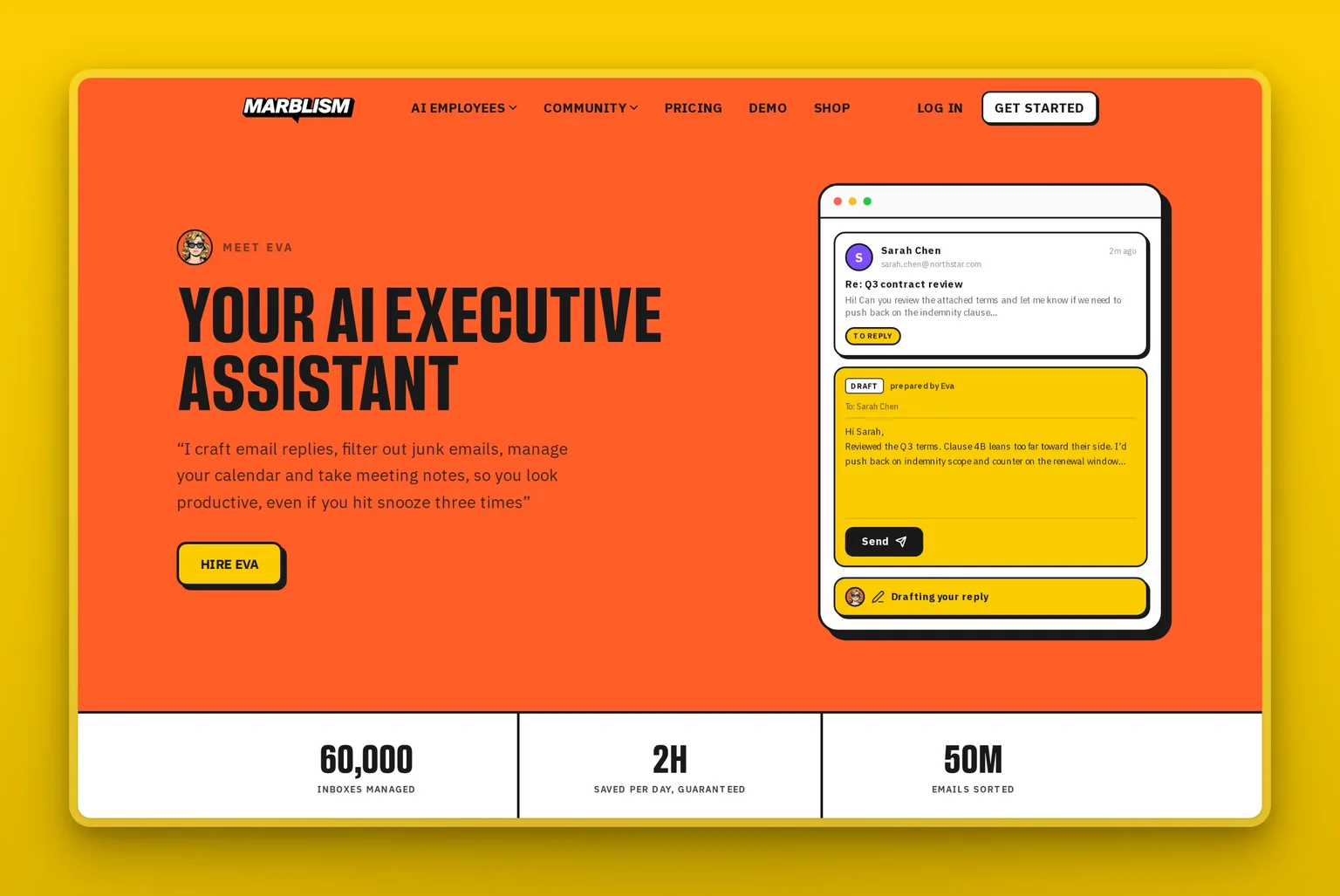
Here is what that looks like on an ordinary morning. A lead emails you a question, buried under thirty other messages. Eva surfaces it, drafts a reply in your voice that answers the question and offers two meeting times, and holds it for you. You skim it, approve it, and Eva sends the reply, books the slot on your calendar, and leaves you a note to follow up after the call. You spent fifteen seconds on a thread that used to cost fifteen minutes, and nothing left your outbox until you said so.
Marblism is rated 4.8 out of 5 on Trustpilot. One owner running Eva alongside the rest of the team put it plainly:
"So far the Marblism team is working out well. Eva, the Executive Assistant is taking care of my inbox, scheduling and communicating with the rest of the team…"
Jeffrey Jackson, Trustpilot review
For the owner whose problem is the whole role rather than one chore, that managed, approve-before-it-sends setup is the best fit. A single-purpose tool is the better buy if controlling each job yourself matters more than handing it off. You can watch a marketer run her whole day this way:
How to get started
You do not need the whole stack to feel the difference. If I were starting from scratch tomorrow, I would put one job on trial for a month before adding anything else. Start with whichever job is bleeding the most hours. Calendar? Put Reclaim.ai's free tier on it and defend two blocks of deep work this week. Meetings? Switch a notetaker on for your next three calls. Inbox? Point an AI email client at one genuinely busy morning and count what it clears.
You grant the tool read and write access to your calendar and inbox, and often your CRM, task app, or team chat. Give it a week or two to learn your patterns before the drafts sound like you. The work is deciding what it may do on its own and what needs your sign-off, and keeping the sent trail somewhere you can see it, so a wrong move is visible and easy to undo. Add a second tool only when a different bottleneck keeps costing you. If all of it is hitting you at once, that is the case for handing the whole role to an AI employee like Eva. Whichever way you go, give what you pick a full month of real work, then ask one thing: did it hand you hours back?
Frequently asked questions
The basics
What is an AI executive assistant?
An AI executive assistant is software that owns the administrative half of an executive's week: triaging and drafting email, running the calendar, booking meetings, capturing notes, and keeping follow-ups from slipping. The stronger products plug into your real mailbox and diary and change things there, then hand back the calls that need judgment.
What does an AI executive assistant actually do?
It handles five concrete tasks: inbox triage and reply drafting, calendar and scheduling, meeting notes and prep, follow-up and task tracking, and open-ended research or drafting. A given tool might own one of these or all five. Where a product stops is the difference that decides which one fits you, so map its features against those five before you pay.
How is an AI executive assistant different from a chatbot?
A chatbot replies when prompted and remembers nothing afterwards. An AI executive assistant is wired into the systems you actually work in, and it changes them: moving a meeting, filing a note, drafting the response, flagging what needs you. The dividing line is whether it touches your mailbox and diary unprompted, or only talks about them. If it acts solely on request, it is a chatbot, however capable it sounds.
Is an AI personal assistant the same as an AI executive assistant?
The terms are used interchangeably, and most products marketed either way do the same core work. "AI personal assistant" sometimes leans toward personal errands and reminders, while "AI executive assistant" leans toward professional admin like inbox and calendar. Judge a tool by the tasks it actually completes rather than the label, since the naming is inconsistent across vendors.
Chiefs of staff, schedulers, and humans
What is the difference between an AI executive assistant and an AI chief of staff?
In humans, an executive assistant runs the recurring admin while a chief of staff owns priorities and judgment. In AI, that line is blurry, because today's tools do information management well and judgment under ambiguity barely at all. Most products marketed as an AI chief of staff do the same core assistant work as an AI executive assistant, so judge a tool by the jobs it does, not the title on the box.
What is the difference between an AI executive assistant and an AI scheduler?
An AI scheduler is a single-purpose AI executive assistant that owns the calendar and nothing else. A full AI executive assistant covers more of the role, adding inbox, notes, and follow-ups. If scheduling is your only bottleneck, a scheduler is the right, cheaper buy; if the whole job is the problem, a scheduler will disappoint because it never touches the rest.
Can an AI executive assistant replace a human executive assistant?
Not fully, though it can carry most of the load. Around 70 to 80 percent of the role is repeatable work software handles well: mail, scheduling, notes, and follow-ups, at a sliver of a salary. The remaining 20 to 30 percent, the judgment and the relationships, stays human. For most small-business owners the honest comparison was never AI against a hire they could not afford anyway. It is AI against doing every bit of the admin yourself.
Cost, security, and choosing
How much does an AI executive assistant cost?
Budget from free to about $30 a month for the plans most owners land on. Calendar and inbox tools sit around $10 to $30, generalist assistants like ChatGPT Plus are $20, and an all-in-one AI Executive Assistant runs roughly $20 to $40 a month for the whole role. Full-scope agentic tools climb higher, often $50 to $200 once usage lands. Even a four-tool stack seldom clears $150 a month, pocket change beside a salary.
Is there a free AI executive assistant?
Yes, several have a real free tier. Reclaim.ai's Lite plan covers one person, a few inbox tools have a free individual plan, and ChatGPT's free version handles most on-demand asks. Put a free calendar tool next to a free generalist and you have a working starter setup for nothing, until one job outgrows it. All-in-one assistants lean on a money-back guarantee rather than a permanent free plan.
How secure is an AI executive assistant?
It varies by tool, and it matters more here than with most software, because the assistant can see your mail, your diary, and your contacts. Check two things before connecting it. One: does the vendor train models on your content, and is the answer written into a data processing agreement rather than a marketing page? Two: does it act unprompted, or ask first? For anything a client will see, prefer an approval step, so a confident but wrong AI cannot send or book before you have looked.
How do I choose an AI executive assistant?
Begin with the part of the job eating the most hours, then match it to the type built for that job: scheduling-first for the calendar, inbox-first for email, a generalist for open-ended asks, full-scope agentic for cross-app work, or a role-based AI employee when the whole role is the problem. Then stress-test the two or three that fit on four questions: does it finish the job, can you keep it on a leash, is the price predictable, and does your data stay yours?
Is there a single best AI executive assistant?
No, because the right pick depends on the job eating your week. Motion and Reclaim.ai lead for the calendar, inbox tools like Shortwave for email, ChatGPT for open-ended asks, and a role-based AI employee like Marblism's Eva when the whole role is the problem. Our roundup of the seven AI executive assistants sorted by job compares them tool by tool so you can match one to your bottleneck.