7 Best AI Executive Assistants in 2026, by Job (Reviewed)

Ulric Musset
CEO, Marblism
June 27, 2026

The best AI executive assistant tools in 2026 are Motion, Reclaim.ai, Akiflow, Granola, Shortwave, ChatGPT, and Marblism. Which one is right depends on the part of the job eating your week: the calendar, the meetings, the inbox, the one-off asks, or the whole role at once.
Seven products call themselves an AI executive assistant and no two do the same job. Some only guard your calendar. Some only take meeting notes. One only works in your inbox, and one tries to run the whole role. Pick the calendar tool when your real problem is the inbox and you will drop it inside a month, which is how most of these get bought and abandoned.
The useful question is not which is best. It is which one is aimed at the part of the week that is actually costing you. If I priced these seven alone, Reclaim.ai would win outright; the job each one actually finishes is what decides it instead.
TL;DR
There is no single best AI executive assistant, so start from the part of the job that costs you the most time: the calendar, the meetings, the inbox, the one-off asks, or the whole role. You have two routes: piece together a few single-purpose tools, one per job, and run them yourself, or hand the whole role to one assistant. For that second route, that is Marblism: Eva works as your AI Executive Assistant, running the inbox, calendar, and scheduling, then checking with you before anything goes out.
| Tool | Best for the job of | Key strength |
|---|---|---|
| Motion | Planning your day | Auto-schedules every task and meeting into your calendar |
| Reclaim.ai | Protecting your time | Defends focus time and habits, and lets an assistant run your calendar for you |
| Akiflow | Time-blocking with control | Pulls every task into one planner you block by hand |
| Granola | Capturing meetings | Notes and action items with no bot joining the call |
| Shortwave | Running your inbox | AI triage, summaries, and replies that learn your voice |
| ChatGPT | On-demand asks | Research, drafting, and analysis for anything else |
| Marblism | The whole role | An AI Executive Assistant that owns inbox, calendar, and scheduling |
Table of contents
What an AI executive assistant actually is, and is not
The seven tools here are not the same kind of thing. Three only touch the calendar. One only takes meeting notes. One only works in the inbox. One is a general chatbot you prompt task by task, and one tries to run the whole role. What separates the real assistants from a clever chatbot is simple: a real one connects to your email and calendar and acts on them, rather than sitting in a separate window waiting for the next prompt. Where each tool stops against that bar, connecting and acting versus only drafting, is what decides which fits you.
If you want the category itself explained first, our guide to what an AI executive assistant is and how to choose one covers the types, the limits, and the questions worth asking before you shop.
What actually matters in an AI executive assistant
What matters in an AI executive assistant is whether it finishes the job, stays on the leash you give it, sounds like you, bills predictably, and leaves the final call to you. These tools all look good in a demo. What actually gets one dropped a couple of months in comes down to those five things, and you can see every one of them in the bad reviews. Check a tool against all five before you hand over your calendar.
1. It finishes the job
The tools worth paying for send the reply and book the meeting. If a tool only hands you a draft to check, fix, and send, you are still doing the job yourself. Scheduling works the same way: a tool that proposes times you confirm one by one has not taken the work off you. Did the reply actually go out, and did the meeting land on your calendar, without you finishing it by hand?
2. It does what you asked, without taking over
The complaint that comes up most for AI schedulers is overcorrecting. You ask to move one meeting, and the tool spends the next hour rearranging your whole week and pinging you about every change. This is the single most common gripe about auto-schedulers. A good assistant does the specific thing you asked, leaves the rest alone, and escalates only when something genuinely conflicts.
3. It sounds like you and gets the facts right
The headline promise of an AI email assistant is that it learns your voice. In practice, many drafts still read like a robot and slip in errors a client will notice, so you rewrite every one. A reply that needs heavy editing is slower than writing it yourself. Send a week of real replies through a drafting tool and count how many you could send untouched. That number, not the demo, tells you whether it sounds like you.
4. The price is predictable
Pricing is what these tools get slammed for most, usually the ones that bill by credit or by task. A single background agent can burn a month of credits, and people drop the tool the day the bill stops being predictable. Two patterns cause it: one is a credit allowance that resets monthly, so a busy fortnight leaves you rationing, and the other is a usage cap that quietly throttles you once you cross it, which is the same problem without the invoice. Four of the seven run some kind of allowance rather than pure flat pricing, Marblism's pooled hours included. Model your busiest month against whatever the cap is before you commit.
5. Your data and your decisions stay under your control
An executive assistant sees your email, your calendar, and your contacts, so where that data goes matters more than with most software. Check two things. First, whether the vendor trains its models on your content or keeps it private. The good ones say plainly that they do not train on your data, and several now put the opt-out on the free plan. Second, whether the tool acts on its own or asks first. For anything client-facing you want an approval step, so a confident and wrong AI cannot send the email or book the meeting before you see it. Same thing with general agents like Grok Bot. They log into your accounts and act on their own, so this is the first thing I check in the Grok Bot alternatives.
AI assistant vs hiring a human EA
The parts of the role these tools genuinely finish are the recurring ones: email triage, scheduling, meeting notes, reminders, and first-draft replies, for a tiny fraction of a salary. What none of them does is the judgment, the discretion, and the relationships. That is handling a sensitive client with care, deciding what matters most when everything is urgent, or representing you in a conversation that carries real weight. An AI assistant clears the admin so a person is free for the part that needs a person.
If email is the part you want to fix first, it is worth setting up the manual baseline before hiring anything: our guide to organize Outlook email with folders and rules covers that setup step by step.
The cost gap is large enough to change the math for most owners, which is why most never make the hire. Base pay for a full-time executive assistant in the US sits near $76,000 a year, on Bureau of Labor Statistics wage data. Add the 25 to 40 percent that benefits and payroll tax typically pile on, and the real cost is past $95,000 before anyone has answered an email. The single-purpose AI tools here run from free to roughly $30 a month for the plans most owners use, with heavier tiers above that. An all-in-one AI Executive Assistant like Marblism starts at $24 a month. Even a full stack of three or four tools rarely passes $150 a month, which is under 3 percent of that annual cost.
The realistic comparison is not AI versus a $76,000-a-year human assistant. It is AI versus the nothing most founders currently have. There is a fuller breakdown of how an AI executive assistant stacks up against a human virtual assistant, and of what a virtual assistant actually costs if you are weighing the hire. Hand the repeatable admin to AI, keep the judgment calls for yourself, and you get most of the relief at almost none of the cost.
AI calendar assistants to plan and protect your time
AI calendar assistants are the tools that plan and defend your time, and three own the category from different angles. Motion auto-schedules your whole day. Reclaim.ai defends focus time and habits around the meetings you already have. Akiflow keeps you in manual control while pulling every task into one place. The right one depends on how much of your calendar you want an AI to run: Motion rebuilds the day, Reclaim.ai defends time around the meetings you already have, and Akiflow leaves the scheduling to you.
1. Motion, best for letting AI own the whole day
Motion is the most automated calendar tool here: you hand it your tasks and deadlines, and it decides when each one happens. For an owner whose day has no structure, the appeal is waking up to a calendar that already made those decisions. The trade is that it wants to own the whole day, not help with part of it.
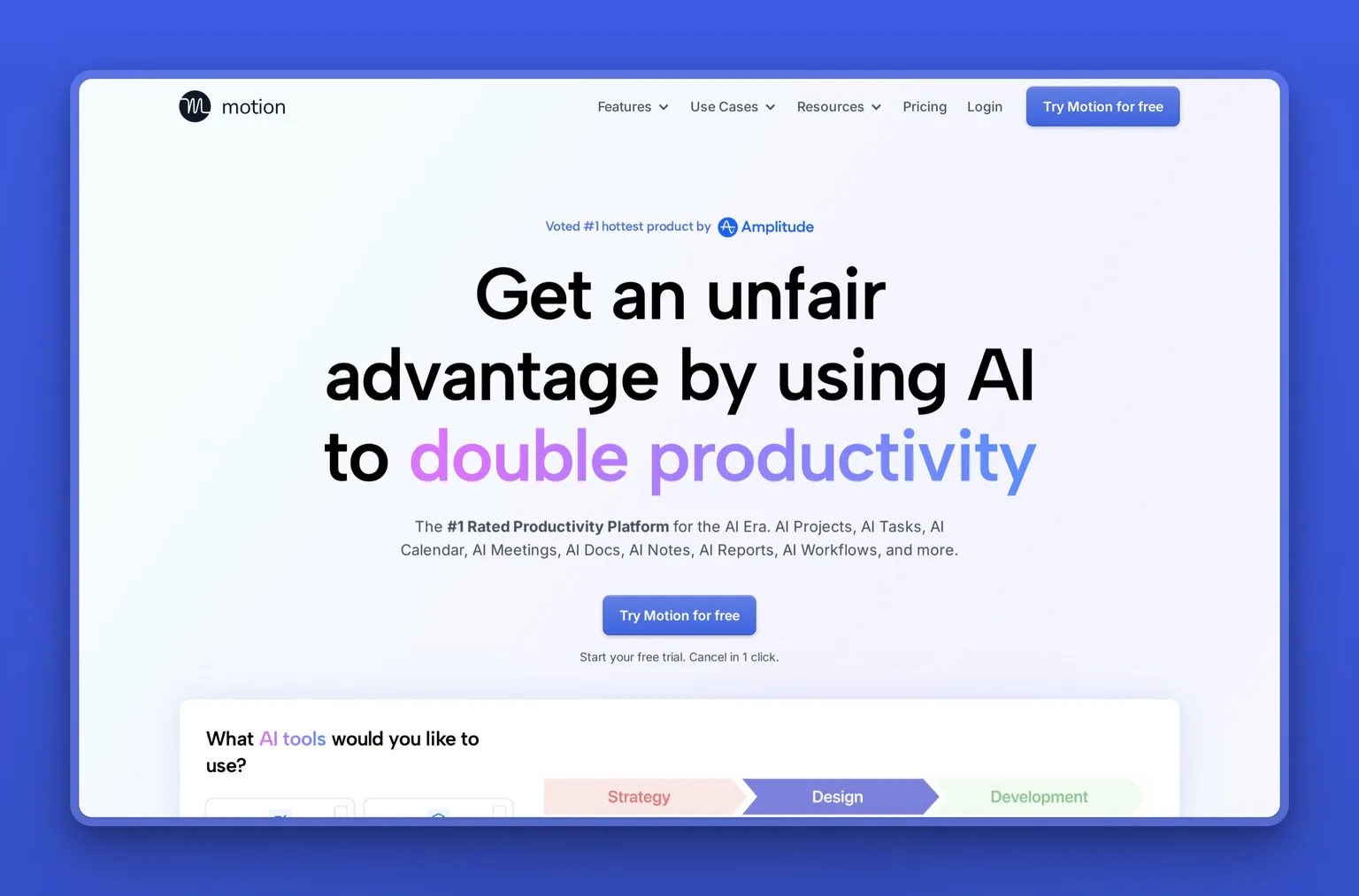
Key Features
- Auto-scheduling that time-blocks tasks into open calendar slots
- Automatic re-planning when meetings or priorities change
- Combined view of Google, Outlook, and iCloud calendars
- AI notetaker with action items and follow-up email drafts
- Project and task management with an AI project builder
- AI docs, wiki, and notes alongside the planner
Pros
- Removes the daily decision of what to work on next
- Pulls tasks, projects, and calendars into one place
- Re-plans around disruptions without you touching it
- Strong fit for founders tracking many deadlines at once
- Doubles as a project manager, not only a scheduler
Cons
- The interface is dense, and reviewers describe a real learning curve
- Two to four weeks before the auto-scheduling clicks
- Long-term subscribers say the price keeps climbing while the interface stays the same
- The mobile app lags well behind the desktop version
- No permanent free plan, only a trial
Pricing
There is no free plan, only a free trial. Motion's Pro AI plan is $19 per seat a month with 7,500 AI credits, and Business AI is $29 per seat a month with 15,000 credits, both on annual billing. The AI runs on that monthly credit allowance, and extra credits cost 25 cents per 100 on Pro. Heavy months draw down faster, so this is the metered kind of pricing worth modelling before you commit.
User Reviews
Motion holds a 4.1 out of 5 rating on G2, and that middling score fits a tool that splits its reviewers. People who push through the setup say it saves them several hours a week, and what they describe is the scheduling decision going away:
"I like that Motion finds the open spots on my calendar and places tasks in a way that already prioritizes them. I also like that I can reorganize things pretty easily if I need to. Motion helps me to not spend time on my calendar figuring out where to place different tasks..."
Reviewer, reviewing Motion on G2
The unhappy ones are mostly solo subscribers who never needed a full auto-scheduler, and they complain about the seat price, the interface, and a mobile app that barely keeps up.
Best For
The founder with more tasks and deadlines than they can track, who wants an AI to own the calendar and decide the order of the day. Motion fits people who want maximum automation and will trade some control to get it. If you would rather block your own time, Akiflow or Reclaim.ai is the gentler fit.
2. Reclaim.ai, best for defending focus time on the calendar you already keep
Reclaim.ai defends the time you already care about rather than rebuilding your schedule around you, which makes it the gentlest of the three calendar tools. It works on top of the Google or Outlook calendar you already keep. It is also the only tool here an assistant can run on someone else's behalf, through a delegated-access mode. When the calendar tool Clockwise shut down, Reclaim.ai was a common landing spot for its users.
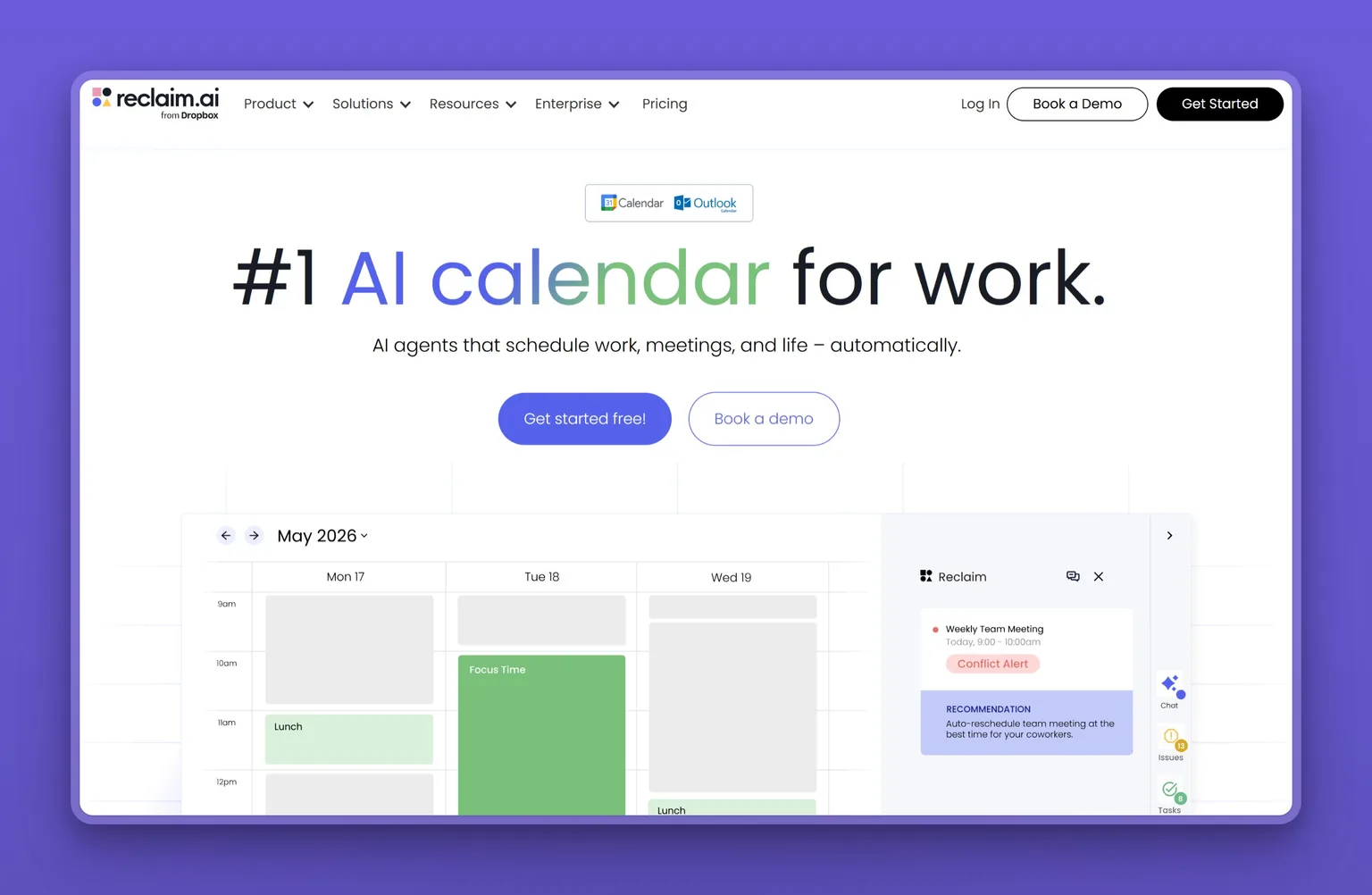
Key Features
- AI focus-time blocks that defend deep work
- Smart scheduling for tasks and recurring habits
- Scheduling links that respect your real priorities
- Calendar sync with buffer time between meetings
- Delegated access so an assistant can manage an executive's calendar
- Slack status sync and time-tracking analytics
Pros
- Protects focus time instead of overhauling your calendar
- Works on top of the calendar you already use
- Free Lite plan is enough for one person to feel the benefit
- The only tool here built for an assistant running someone else's diary
- Handles recurring habits, not just one-off meetings
- Cuts 20 percent for six months if you are switching from Clockwise, Motion, or Calendly
Cons
- Narrower than Motion: it schedules, it does not manage projects
- It rewards careful setup and punishes set-and-forget use
- Notifications fire every time a shifting priority moves something
- The free Lite plan has been trimmed to one calendar sync and a one-week scheduling range
- Best value once you connect every calendar you use
Pricing
The Lite plan is free forever for one person, with five AI agents, one calendar sync, and a one-week scheduling range. Reclaim.ai's Starter plan is $10 per seat a month, Business is $15 per seat a month, and Enterprise is $22, all on annual billing. Delegated access for assistants and admins starts on Business.
User Reviews
Reclaim.ai holds a 4.8 out of 5 rating on G2. Reviewers praise how it protects focus time without forcing them off their normal calendar, and point to the breadth of integrations:
"Reclaim.ai keeps my calendar organized without requiring constant manual planning. I can add tasks, set priorities, and the platform automatically finds the best time for them around my meetings."
Reviewer, reviewing Reclaim.ai on G2
The recurring caution runs the other way: people who never tuned their habits and priorities find it reshuffles the calendar more than they wanted, and the notifications that come with it.
Best For
The operator who likes their calendar but cannot protect their own time, and wants an AI to guard focus blocks and habits in the background. Reclaim.ai also fits the assistant managing a founder's diary, which none of the other tools here support directly. If you want the AI to build the entire day from scratch, Motion goes further.
3. Akiflow, best for time-blocking without an AI touching your day
Akiflow is a daily planner for operators who want one place to see everything and still block their own time. It pulls tasks from your other apps, your email, your calendars, and your to-do tools into a single planner. From there you drag them onto your calendar in deliberate time blocks. Aki, its built-in assistant, captures tasks by voice or plain language and is now marketed as an AI executive assistant in its own right, but the scheduling stays your call. It is the answer to a specific frustration: AI tools that rearrange your day without asking.
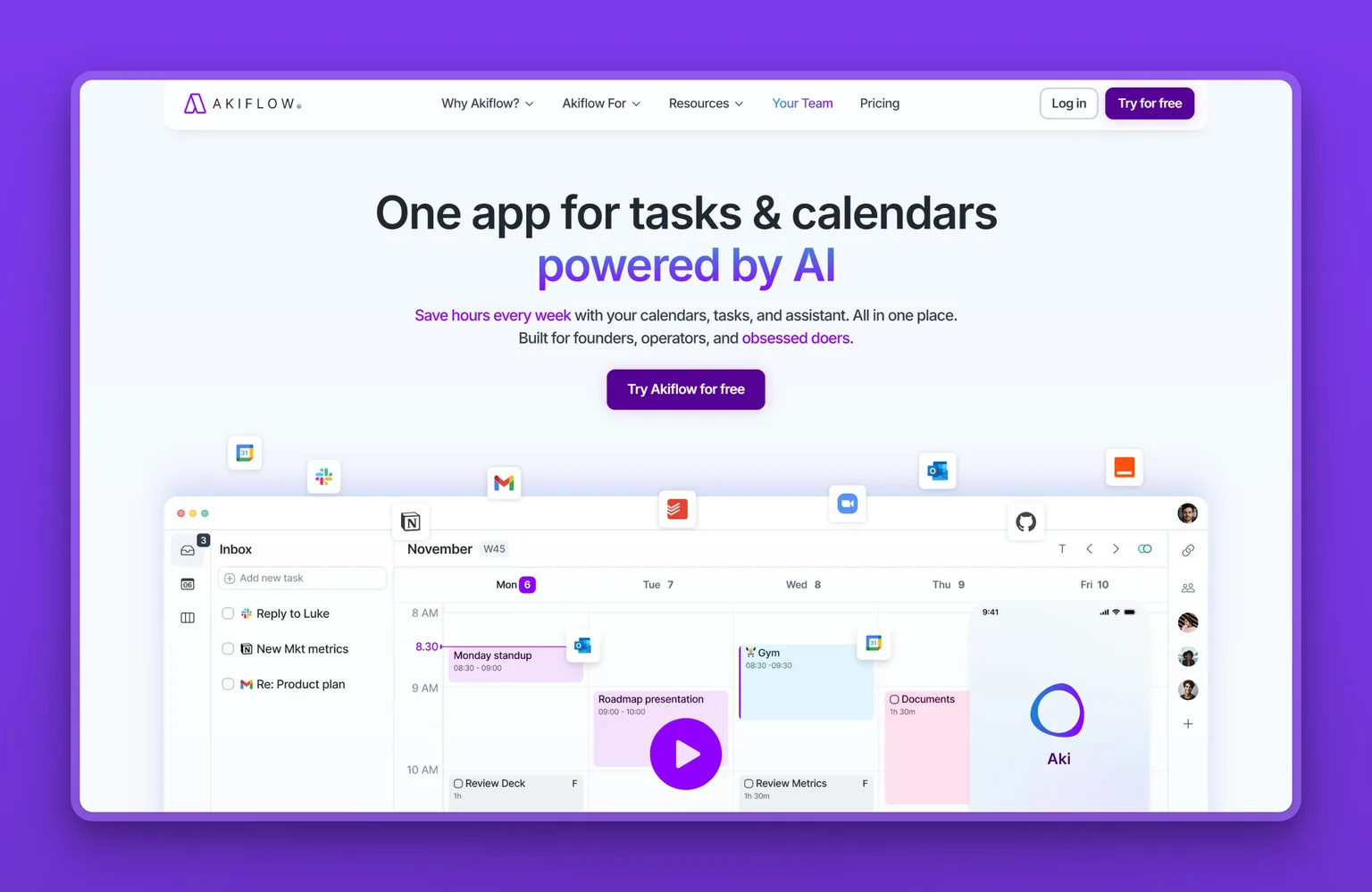
Key Features
- One planner that consolidates tasks from connected apps
- Drag-and-drop time-blocking onto your calendar
- Aki, an AI assistant for natural-language and voice capture
- MCP access so other AI tools can read and add to your planner
- Calendar sync with ten-plus integrations
- Keyboard-first command bar for fast planning
Pros
- You keep full control of your own schedule
- Brings scattered tasks into a single daily view
- Fast capture so nothing gets lost
- A clear answer to opaque auto-schedulers
- One paid plan, so there are no credits to track or tiers to decode
Cons
- Less hands-off than Motion or Reclaim.ai by design
- The planning still takes your time each morning
- No permanent free plan, only a 7-day trial
- Aimed at individuals more than teams
Pricing
Akiflow runs a 7-day free trial, then Pro is $19 a month billed yearly, or $34 billed monthly. There is one paid plan and no credit meter, which makes it the most predictable bill of the three calendar tools.
User Reviews
Akiflow holds a 4.7 out of 5 rating on Capterra. Reviewers who came from Motion tend to say the difference is that they can see why something is on the calendar, because they put it there. The praise centers on pulling everything into one planner they actually run themselves:
"I love how it brings tasks, calendar, and planning into one clear flow. The desktop app is powerful, and the mobile app does a great job complementing it on the go."
Reviewer, reviewing Akiflow on Product Hunt
Its Product Hunt rating sits a little lower than its Capterra score, at 4.6.
Best For
The operator who wants one place for every task but does not want an AI quietly rearranging the day. Akiflow fits deliberate planners who would rather spend ten minutes each morning than hand the decision over. Skip it if you want the AI to build the schedule for you, or if you need a real free plan rather than a trial: Motion is the more automated choice and Reclaim.ai is the free one.
AI notetaker to capture every meeting
Neither the calendar nor the email tools capture a meeting. For a week of back-to-back calls a dedicated notetaker is often the highest-value thing to add, because you cannot take good notes and pay attention at the same time.
4. Granola, best for meeting notes with no bot in the room
Granola records from your computer's own audio, so nothing shows up in the participant list and no bot announces itself to the room. You type a few scrappy notes during the call, and it fills in the rest afterward into a clean summary with action items. It pulls a pre-meeting brief from your calendar, supports templates, and feeds into tools like Claude and ChatGPT. The company had a breakout year, raising a $125 million round at a $1.5 billion valuation in March 2026 as it expanded from notetaker toward a wider AI workspace.
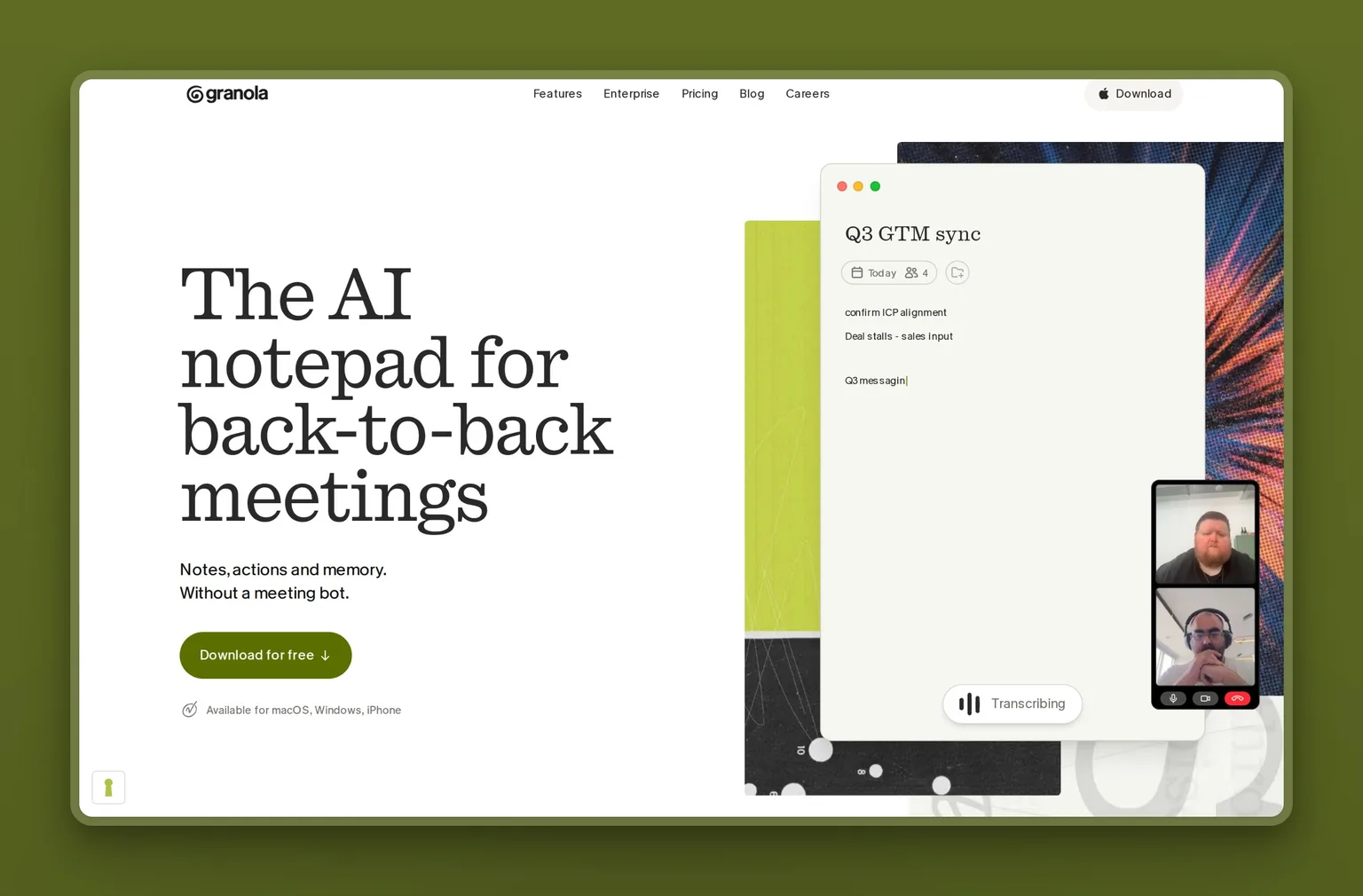
Key Features
- Background transcription with no bot joining the call
- Rough notes turned into structured summaries and action items
- Pre-meeting briefs pulled from your calendar
- Works across Zoom, Google Meet, Teams, and in person
- Mac, Windows, iOS, and Android apps
- MCP access and an API on the paid plan
- Model-training opt-out available on every plan, including the free one
Pros
- No recorder bot in the meeting, which feels far less intrusive
- Turns sparse notes into usable summaries automatically
- Captures in-person meetings, not only video calls
- Free plan is enough to run it on real meetings before paying
- Searchable history that gets more useful the longer you use it
Cons
- Focused on meetings, so it covers one slice of the role
- Reviewers report occasional setup and account-connection snags
- Background capture needs your computer audio running
- Unlimited history and the advanced models sit on the paid tier
Pricing
The Basic plan is free, with limited meeting history. Granola's Business plan is $14 per user a month and adds unlimited notes and history, the advanced models, deeper integrations, MCP, and API access. Enterprise is $35 per user a month for SSO and admin controls. The free plan's limited history is still enough to judge the summary quality before you decide whether $14 a month is worth it.
User Reviews
Granola holds a 4.8 out of 5 rating on Product Hunt, where founders and operators made it a favorite notetaker on word of mouth more than marketing. What they describe is a notetaker that fades into the background and produces summaries clean enough to send. One founder put the appeal simply:
"Granola is a recent addition to our productivity stack and has been awesome for us. It, is simply put, the best AI notetaker on the market. We especially love the action items it generates..."
Mrinal Singh, reviewing Granola on Product Hunt
Best For
The founder or operator whose week is back-to-back calls and who wants notes and follow-ups handled without a bot announcing itself. Granola fits anyone who takes meetings all day and forgets half of them. Skip it if you need a tool that covers email or the calendar too, since it only does the meeting.
AI email assistant to tame your inbox
The catch with AI email assistants is the front door: the strongest one will not touch a Microsoft 365 account, only Gmail and Google Workspace. Set up on Gmail, though, clearing the inbox becomes a ten-minute morning habit.
5. Shortwave, best for AI triage inside Gmail
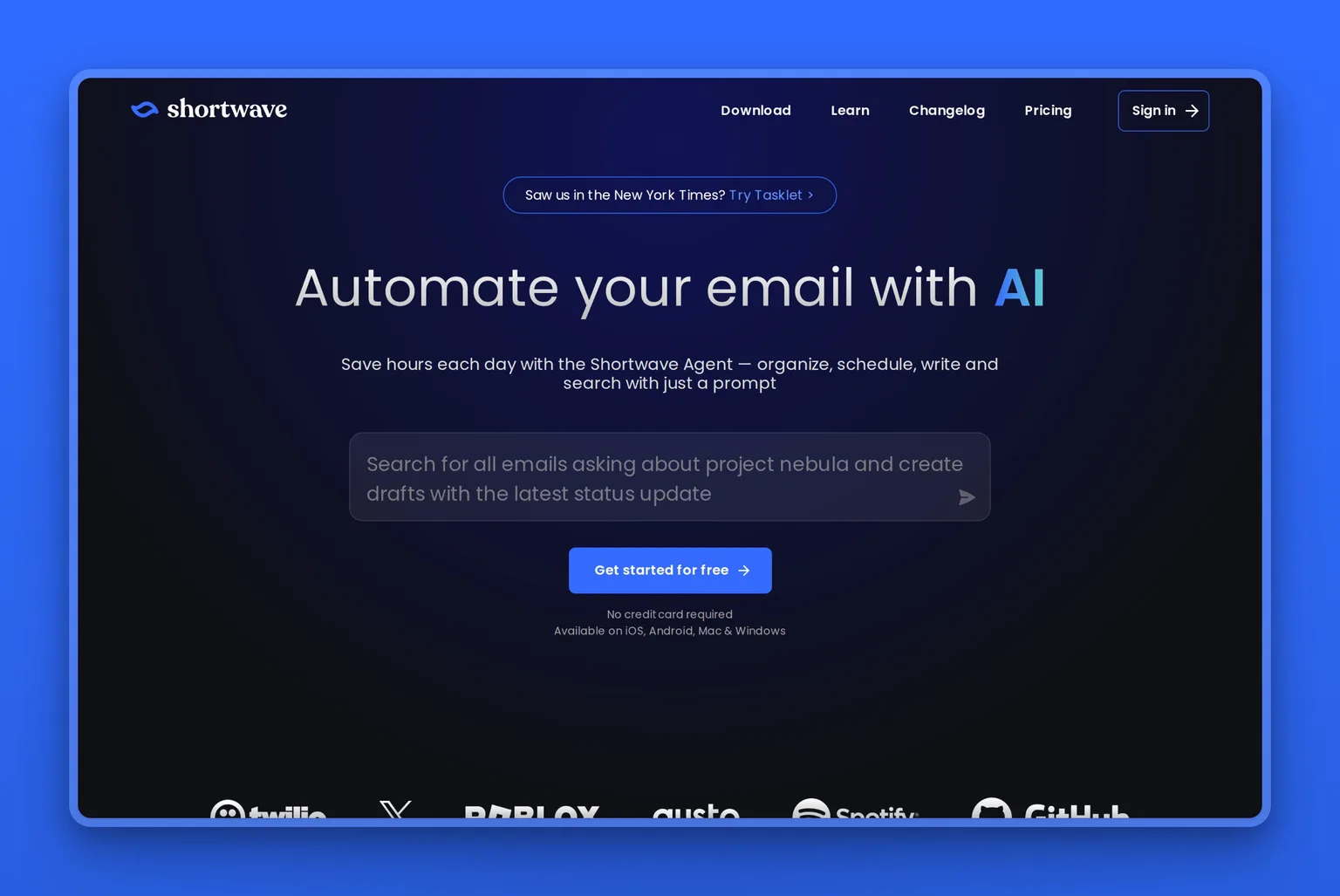
Shortwave replaces Gmail's interface with one built around clearing the inbox rather than reading it, and it is the only tool here that does the email job properly. It runs on current frontier models, including Anthropic's Claude. The catch is at the front door: it connects to Gmail and Google Workspace and nothing else. The name most executives know here is Superhuman, but it now sells inside a larger Grammarly-owned suite with email on a higher tier, which is why Shortwave is the cleaner standalone pick for most people.
Key Features
- AI triage that splits your inbox by what matters
- Thread summaries at the top of long conversations
- AI search and answers across your full email history
- Instant replies that learn your voice and tone
- AI filters that label, archive, or group mail automatically
Pros
- Works inside your real Gmail, not a separate app
- Summaries make long threads fast to clear
- Drafts get closer to your voice the more you use it
- Calendar integration handles scheduling in the thread
- Genuine free plan for one person, plus a 14-day trial of the paid tiers
Cons
- Gmail and Google Workspace only: Microsoft 365 and Exchange are not supported
- AI usage runs on a daily quota that scales with the tier you buy
- Rule-based filters run in-plan, but agentic background automation needs a separate product, Tasklet
- One more login if your team is standardized elsewhere
Pricing
Shortwave has a free plan for individuals and a 14-day trial of the paid tiers. For one person, Pro runs $18 per seat a month. The team plans step up to Business at $30 per seat a month, Premier at $45, and Max at $120 for the heaviest AI usage, with each tier raising the daily AI quota and the search depth.
User Reviews
Shortwave holds a 4.4 out of 5 rating on G2, earning strong marks from busy professionals who credit its summaries and triage with getting them to inbox zero faster than they expected:
"Shortwave turns my emails into a to-do list, which is what it is in the first place. This approach, together with all the smart tools and AI they have, makes it easier to handle my business emails, saves me time..."
Reviewer, reviewing Shortwave on G2
The most common gripe is price: the AI features that make it worth switching sit on the paid plans. People who live in email tend to say it pays for itself.
Best For
The owner or operator whose inbox eats hours every day and who wants AI to triage, summarize, and draft inside Gmail. Shortwave fits Gmail users ready to pay for real inbox relief. Skip it if your email lives in Microsoft 365 or Exchange, which it cannot connect to at all; Copilot for Microsoft 365 is the natural pick there.
AI business assistant for on-demand asks
Some of the executive-assistant job fits no calendar or inbox: the one-off research, the proposal draft, the contract to summarize. For that open-ended work a general AI assistant is the most flexible tool to keep on hand, and its free tier costs nothing to start.
6. ChatGPT, best for the one-off asks nothing else covers
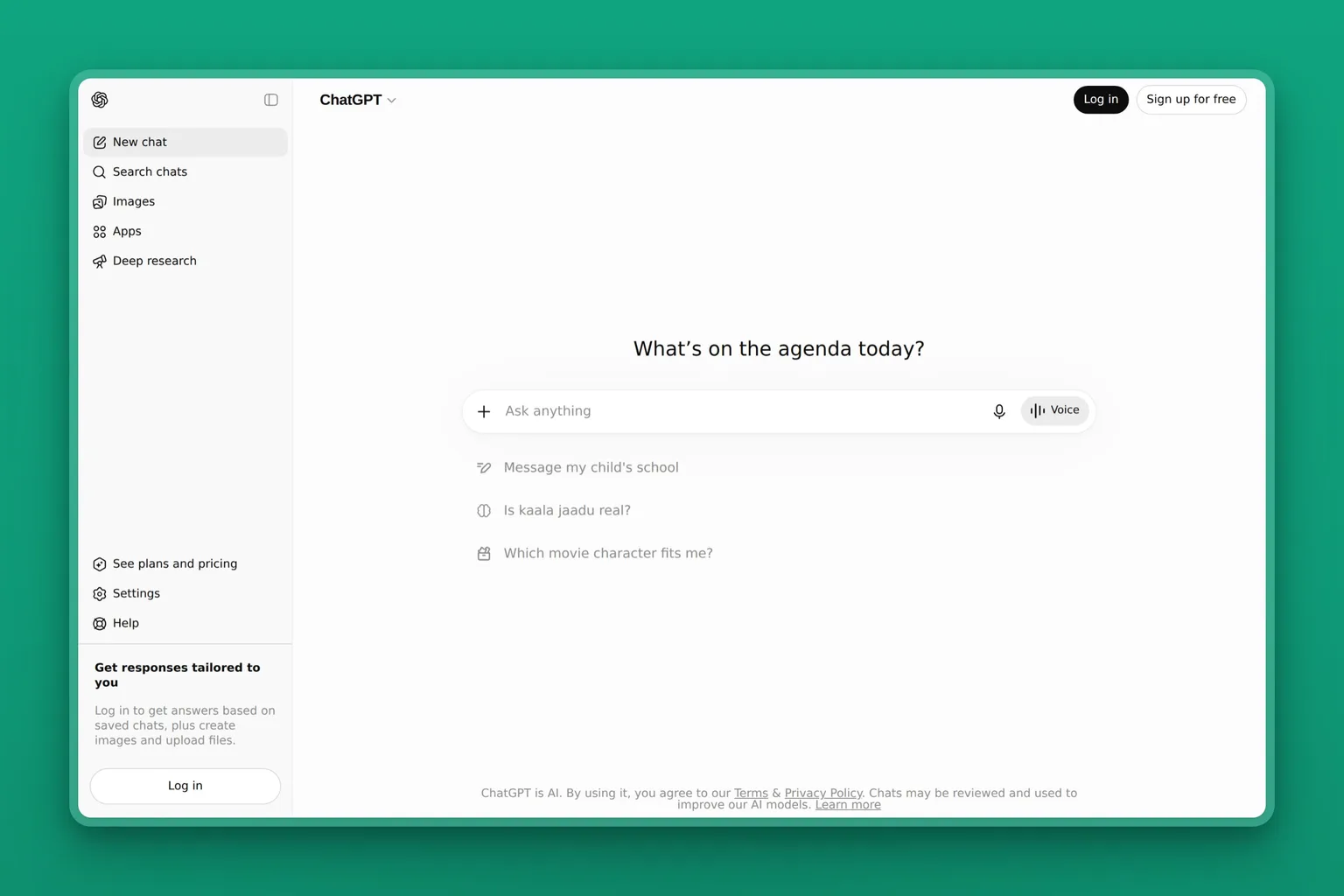
ChatGPT is the assistant most people reach for first, and for the on-demand half of executive work it is hard to beat. It is the only tool here with no fixed job, which is exactly the point: it absorbs whatever does not fit the calendar or the inbox. It also assists rather than owns, because at the lower tiers it does not touch your inbox or calendar on its own. For the steady stream of small research-and-writing tasks, nothing pays off faster.
Key Features
- Plain-language chat that drafts, researches, and analyzes
- File uploads with data analysis and summaries
- Web search and memory that carries context across chats
- Scheduled tasks and projects that run recurring jobs
- Custom GPTs for repeated assistant-style work
Pros
- Free plan covers most everyday assistant questions
- The most flexible tool here for open-ended asks
- Pays off on day one with no setup
- Endless guides and prompt libraries to learn from
- Business plan keeps your data out of model training by default
Cons
- States wrong facts with confidence, so outputs need checking
- Does not act on your inbox or calendar on its own at the lower tiers
- Waits for your prompt rather than owning a function
- Heavy users hit usage limits mid-session with little warning
- The step up to effectively unlimited use is a large jump in price
Pricing
The Free plan is $0. A newer Go tier is $8 a month and may include ads. ChatGPT Plus is $20 a month and adds stronger reasoning, scheduled tasks, projects, and custom GPTs. Business is $20 per user a month on annual billing, or $25 billed monthly, with admin controls and no training on your data by default. Pro starts at $100 a month for people who need the ceiling lifted.
User Reviews
ChatGPT holds a 4.6 out of 5 rating on G2. What operators come back to is the range: one tool that drafts, researches, and works through problems across the whole business. One reviewer described the appeal as breadth plus follow-up:
"It helps me with a wide range of tasks, whether it's studying, writing, brainstorming ideas, or solving technical problems, all in one place. I also appreciate that I can ask follow-up questions naturally..."
Reviewer, reviewing ChatGPT on G2
The complaints cluster around the usage limits, and they come from the heaviest users. Plus subscribers describe hitting limits mid-session and being moved to a weaker model without a clear notice, which is exactly when momentum on real work breaks. Reviewers also flag occasional wrong or outdated answers on specific topics. If your work already lives in Microsoft 365 or Google Workspace, the built-in Copilot or Gemini assistants cover similar ground inside those apps.
Best For
The operator who wants one flexible helper for research, drafting, and analysis, and is fine prompting it task by task. Start here if you have never paid for an AI tool. Skip it as your main assistant if you need guaranteed uninterrupted access on a budget: Plus throttles heavy sessions without warning, and the jump to effectively unlimited use is $100 a month.
One AI assistant for the whole role
One AI assistant for the whole role is the alternative to assembling the tools above and running them yourself: prompting the assistant, checking the drafts, watching the scheduler. That works until the inbox, the calendar, the scheduling, and the follow-ups all need you at the same time. At that point the problem is not any single task. It is that every one of those tools waits for you to prompt it, and there is only one of you. A handful of newer platforms build for this, where an AI employee takes a function and reports back instead of waiting for a prompt. They split into two camps: a builder you wire up yourself, and employees that arrive pre-built. Lindy hands you a builder and asks you to wire the automations up yourself, which is powerful if you enjoy that and a second job if you do not. Marblism ships the employees already built.
7. Marblism, best for handing over the whole executive-assistant role
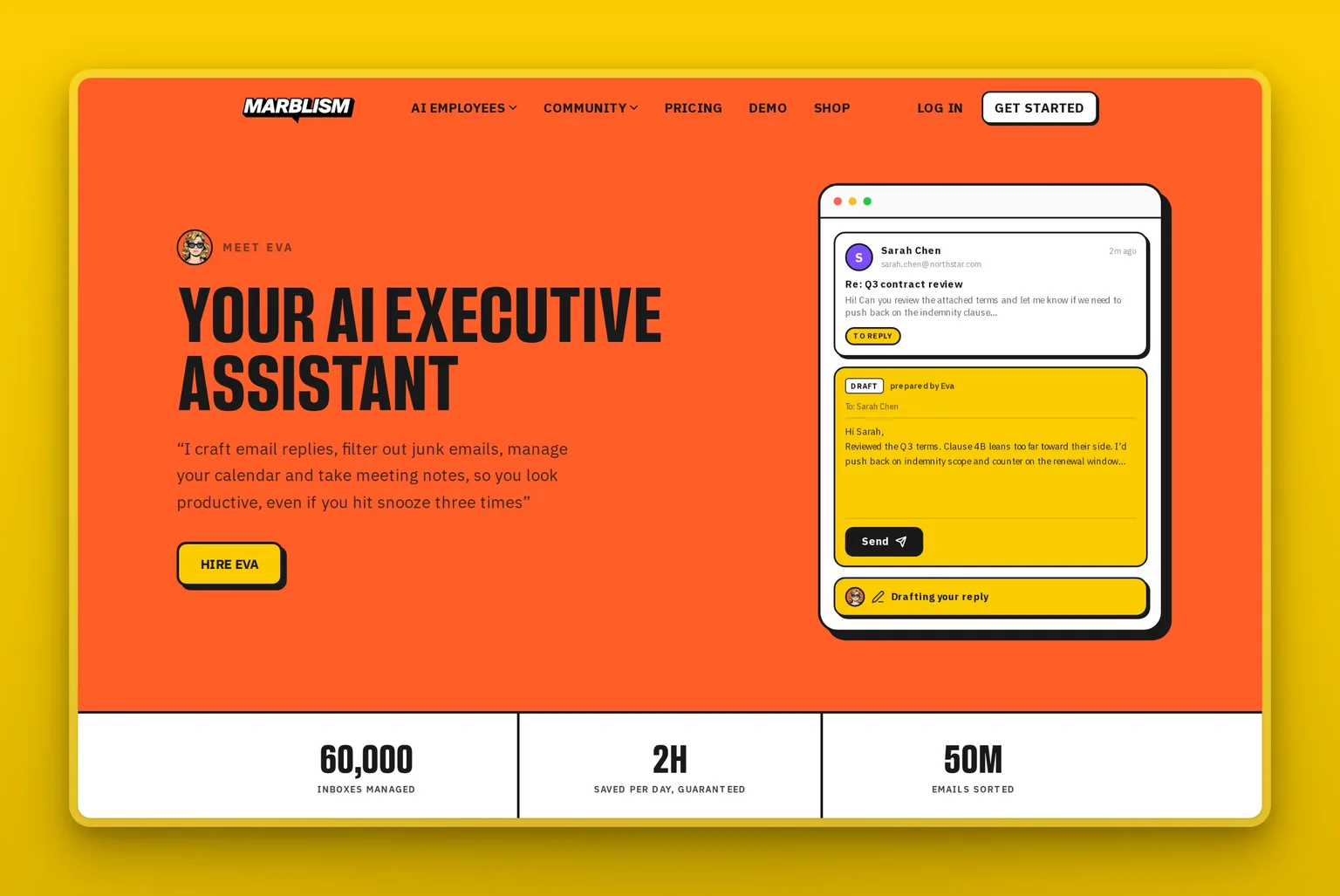
Marblism sells a team of six AI Employees on one plan, and the executive-assistant seat on that team is Eva. She runs the inbox, manages the calendar, books and reschedules meetings, takes notes, and drafts replies in your voice. That is the same spread of work the tools above split between them, now under one login. Instead of you prompting a tool task by task, Eva owns the function and brings the decisions that matter back to you. Nothing sends, posts, or books without your approval, so a wrong call never reaches a client. Because Eva sits on the same team as the other employees, context carries across: a lead that arrives by email is already understood when it is time to follow up.
Key Features
- Eva runs inbox, calendar, scheduling, and meeting notes under one login
- Drafts replies in your voice and books meetings for you
- Approval step before anything sends, posts, or books
- Five other AI Employees for calls, sales, social, content, and contracts
- Setup is describing your business, not wiring up a stack
Pros
- Owns the whole executive-assistant role, not one task
- One flat plan instead of a separate bill per tool
- You approve before anything is sent, posted, or booked
- No stack to assemble, connect, and maintain yourself
- Scales into a full back-office team when you need it
Cons
- You trade fine per-task control for a managed assistant
- Overkill if just one chore, like inbox triage, only flares up now and then
- The AI-employee category is younger than single-purpose tools
- Assisted, not autonomous: the approval step is always there
- Work is pooled at 50 hours a month across the team, not unmetered
Pricing
Every plan includes all six AI Employees and differs only by billing frequency. Marblism is $24 a month on annual billing, $33 a month billed quarterly, or $44 billed monthly, with 50 hours of work included and a 7-day money-back guarantee rather than a free trial. Set against the tools above, a calendar plan, an inbox plan, and a notetaker already pass $40 a month together. One bill for an assistant that runs all of it usually comes out lower, and it is far below the roughly $95,000 a year a human EA costs once you load in benefits.
User Reviews
Marblism is rated 4.8 out of 5 on Trustpilot. Owners describe handing Eva the inbox, the scheduling, and the calendar, then getting hours back while still signing off on what goes out. One owner put a number on it:
"This AI program has saved me over 40 hrs in the last month alone… Eva helped me clean up my inbox! I had nearly 1000 emails."
Crystal Ferragut, from her Trustpilot review
You can also see how other founders run their day with Eva before deciding.
Best For
The owner or solo operator whose problem is not one task but the whole executive-assistant role, with only them to run it. Marblism fits the founder who would rather approve work than operate four tools. Stay with a single-purpose stack if controlling each job yourself matters more than handing it off.
7 best AI executive assistant tools at a glance
What actually decides the pick is how much of the executive-assistant role a tool covers, and how much the AI runs on its own versus waiting for you. Six of the seven cover a single job. Only Marblism sits far enough right to take the whole role, and it is also the one that asks before it acts.
| Tool | Starting price | Free plan | Setup effort |
|---|---|---|---|
| Motion | $19/seat/mo, annual | No, trial only | Higher: a real learning curve |
| Reclaim.ai | $10/seat/mo, annual | Yes, Lite plan | Medium: it rewards tuning |
| Akiflow | $19/mo, annual | No, 7-day trial | Medium: you plan each day |
| Granola | $14/user/mo | Yes, Basic plan | Low: turn it on for a call |
| Shortwave | $18/seat/mo | Yes, free plan | Low: connects to Gmail |
| ChatGPT | $20/mo, Plus | Yes, free tier | Minimal: sign up and start |
| Marblism | $24/mo, annual | No, 7-day money-back | Low: describe your business once |
Which AI executive assistant should you choose?
If you want one default rather than a decision, start with Reclaim.ai: the calendar is the most common bottleneck and its free plan costs nothing to find out. If your admin already has a person on it, skip this list entirely and spend the money on the one Reclaim.ai seat that gives them delegated access. Otherwise, stop at the line that sounds like you.
Your calendar is the mess and you want an AI to run it. Choose Motion to auto-build your day, Reclaim.ai to protect focus time on the calendar you already keep, or Akiflow if you want one planner you still control by hand.
You forget half of every meeting. Choose Granola, and let it capture notes and follow-ups without a bot joining the call.
Your inbox is the second full-time job. Choose Shortwave to triage, summarize, and draft replies inside Gmail.
You need research, drafts, and one-off help all day. Choose ChatGPT, the most flexible tool for the asks that do not fit a calendar or an inbox.
Calendar, inbox, meetings, and follow-ups are all on you at once. Choose Marblism, where Eva runs the inbox, calendar, and scheduling as your AI Executive Assistant and checks with you before anything goes out.
AI tools for executive assistants supporting an executive
If you are the executive assistant, not the executive, the shortlist changes, because the difference is delegation. Executive assistants shopping for AI tools need delegated access to someone else's calendar, not a tool built around being the principal. You are not trying to replace the executive-assistant role, because you are it. You are running someone else's calendar and inbox alongside your own, and the tool has to work from your login without you living in your principal's account.
Reclaim.ai is the one here that supports that directly. Delegated access lets an assistant or admin manage another person's calendar, and it starts on the Business plan. Granola solves the meeting half, because you can capture and write up a meeting you attended without a bot announcing a recorder to the room. ChatGPT handles the drafting and research that fills the gaps between both.
The pattern that works is one tool per job you actually own, rather than one platform that assumes you are the executive. Where an owner without an assistant hands over the whole role, an EA is usually augmenting judgment they already apply, so keep the approval step and the final call with you.
Worth reading the rest of the comparison anyway, because the tools your executive picks land on your desk too. Reclaim.ai's delegated access is the one to push for, since it is what lets you run their calendar from your own login rather than theirs. And if you are the owner doing all of this yourself with no assistant to delegate to, the whole-role option is the one to look at rather than any single-job tool.
Build your executive-assistant stack
An executive-assistant stack is two or three of these tools covering different jobs, which is how most people end up running this. Todoist and Zapier round out the stack. Todoist holds the personal to-do list the other tools feed, and its AI assist breaks big tasks into steps. Zapier connects the apps your other tools do not, so a flagged email can become a task or a new booking can trigger a prep checklist. Both start free.
The free starter stack, to see whether AI is worth paying for. Reclaim.ai, ChatGPT, and Todoist. Reclaim.ai guards two focus blocks on your calendar, ChatGPT handles the daily research and drafting, and Todoist holds the list the other two feed. Every one of the three has a real free tier, so you spend nothing until a single job clearly outgrows it.
The meeting-and-inbox stack, for the operator whose week is calls and email. Granola, Shortwave, and Todoist. Granola captures every meeting's notes and action items, Shortwave clears the inbox and drafts the replies, and the action items from both land in Todoist as tasks.
The automate-it stack, for the founder who wants the stack to run itself. Motion and Zapier, with Todoist underneath. Motion plans the day around your deadlines. Zapier wires the rest together: a starred email becomes a task, a new booking adds a prep block, a finished task posts an update. You set Zapier's rules once, and starred emails and new bookings route themselves from then on.
The hand-it-off stack, for the operator who wants one assistant running inbox, calendar, and scheduling end to end. Marblism, plus Todoist and Zapier. Eva runs the inbox, calendar, scheduling, and meeting notes, and signs off with you before anything goes out. Todoist keeps your personal task list, and Zapier connects the few apps Eva does not touch.
Frequently asked questions
Choosing between the tools
Is there a free AI executive assistant?
There are free single-purpose ones, but no free assistant that covers the whole role. Reclaim.ai's Lite plan is free forever for one person, capped at one calendar sync and a one-week scheduling range. Granola's Basic plan is free with limited meeting history, Shortwave has a free plan for individuals, and ChatGPT's free tier handles most on-demand asks. Motion and Akiflow run trials rather than permanent free plans. Every tool that takes the whole executive-assistant role is paid, Marblism included, because running the inbox and calendar continuously costs real compute.
Is there an AI executive assistant app?
Most of these ship as desktop and mobile apps rather than a browser tab alone. Motion, Akiflow, and Shortwave have desktop and mobile apps, Granola now runs on Mac, Windows, iOS, and Android, and ChatGPT is on every platform. Marblism runs in the browser, because Eva works in the background rather than being something you sit in front of. If you want one you can run from your phone, check the mobile app specifically, since a few of these are noticeably weaker there than on desktop.
Which AI assistant is best for a solo founder?
A solo founder with no assistant usually has two good routes. One is the single tool that fixes their worst bottleneck, often Reclaim.ai for the calendar or Shortwave for the inbox. The other is a single assistant that covers the whole role instead of one task. Marblism fits the second case: Eva handles inbox, calendar, and scheduling from $24 a month, which is cheaper than running three separate tools and far below any human hire.
What is the best AI assistant for a CEO?
For a CEO with a human assistant already, the answer is usually the tools that make that person faster: Reclaim.ai for delegated calendar control, which lets an assistant run the diary from their own login, and Granola for meeting capture. For a CEO or founder without one, the bottleneck is the whole role rather than any single task, which is the case for an assistant like Marblism's Eva that runs inbox, calendar, and scheduling together. The deciding question is not seniority, it is whether anyone else is currently absorbing the admin.
Do these AI assistants work with Outlook and Gmail?
The calendar tools, Reclaim.ai, Motion, and Akiflow, all support both Google and Outlook calendars. Email is stricter: Shortwave connects only to Gmail and Google Workspace and cannot link a Microsoft 365 or Exchange account at all, so an Outlook shop is better served by Copilot built into Microsoft 365.
Cost and setup
How much does an AI executive assistant cost?
Reckon on the stack, not one tool, because most people end up running two or three. A working meetings-and-inbox pair, Granola at $14 plus Shortwave at $18, comes to about $32 a month. Add a calendar tool and you are near $42 with Reclaim.ai or $51 with Motion. A single all-in-one assistant like Marblism is $24 a month for the whole role, which is why the stack maths usually favours it once you pass two tools. Even a full three or four tool stack rarely passes $150 a month, a small fraction of a human assistant's cost.
Will AI replace an executive assistant?
Not the whole role. These tools finish the recurring parts, the email triage, the scheduling, the meeting notes, the reminders, and the first-draft replies. What none of them does is the judgment, the discretion, and the client relationships, which is the part that still needs a person. For an owner who never had an assistant, the honest comparison is not AI versus a human, it is AI versus doing all the admin themselves.
How quickly can I get one set up?
Most take minutes to start. Calendar and inbox tools like Reclaim.ai, Granola, and Shortwave connect to your existing Google account and work the same day. Auto-schedulers like Motion take a couple of weeks before the planning feels right, and Reclaim.ai works far better once you have actually tuned your habits and priorities. An all-in-one assistant like Marblism is set up by describing your business rather than wiring up integrations. Whichever you pick, give it a week of real meetings and real inbox volume before you judge it, since Motion and Reclaim.ai both need about that long to tune.
Where to start
You do not need all four jobs covered to feel the difference. One well-matched tool is enough to start. Pick the one job, calendar, meetings, or inbox, that costs you the most time each week and hand that off first. If that is your calendar, start a free Reclaim.ai plan and protect two focus blocks this week. If it is meetings, turn on Granola for your next three calls. If it is the inbox, run Shortwave on a busy morning during its free trial.
Add a second tool, say Granola on top of Reclaim.ai, only once a different bottleneck keeps costing you. If every part of the job is the problem at once, that is the case for handing the whole role to Eva. She runs the inbox, calendar, scheduling, and meeting notes as your AI Executive Assistant, while you approve what goes out. Whichever way you go, give whatever you pick a full month, then ask one thing: did it actually hand you hours back?