10 Best AI Tools for Real Estate Agents (2026 Review)

Ulric Musset
CEO, Marblism
July 6, 2026

The best AI tools for real estate agents are Marblism, ChatGPT, Saleswise, Lofty, Follow Up Boss, Ylopo, Top Producer, REimagine Home, Fathom, and Lindy. Of the ten, only Marblism ($24/mo) bundles six functions on one bill; the rest are single-purpose tools from free (ChatGPT, Fathom) to quote-only team platforms (Lofty, Ylopo, Top Producer). ChatGPT and Fathom start at $0, while Lofty, Ylopo, and Top Producer are quote-only in the mid-hundreds plus ad spend. Whether you spend nothing or thousands comes down to what you actually need done. That could be answering leads fast, filling the pipeline, finding sellers, writing listings, staging photos, or handing the whole back office to an AI team.
Almost every agent uses AI now, but plenty don't trust it. In RPR's February 2026 survey, 82 percent of agents reported using AI, and 63 percent named the accuracy of what AI produces as their top concern. The real question isn't whether you use a tool, it's whether you picked the right one for the job that's costing you deals.
For most agents, that job is speed. Leads arrive while you are mid-showing, in an inspection, or at dinner, and the agent who replies first usually wins the client. But working from your car alone, you need something very different from what a team buying hundreds of portal leads needs. "AI for real estate" now runs from a free chatbot that drafts a listing to a quote-only platform that answers your phone and buys your ads. No one subscription covers that whole range.
TL;DR
There is no single best AI tool for real estate; the right one clears your worst bottleneck. When you're the receptionist, the marketer, and the admin all at once, Marblism ($24/mo) takes whole functions off your desk. It answers calls, chases follow-ups, runs the inbox, and turns contracts around, then checks with you before anything goes out. When just one job hurts, a single tool built for it, like Saleswise for listing content or Follow Up Boss for your pipeline, costs less than the six-Employee team.
| Tool | Best for | Key strength |
|---|---|---|
| Marblism | The solo agent who is the whole back office | Six AI Employees run calls, follow-ups, inbox, and contracts, you approve |
| ChatGPT | Everyday writing and quick answers | Drafts listings, emails, and market summaries on demand |
| Saleswise | Listing content and CMAs with real data | One-click CMAs and listing copy built on live comps |
| Lofty | Teams wanting one platform end to end | CRM, IDX site, and AI lead nurture in one subscription |
| Follow Up Boss | Agents who want a specialist CRM | Connects your whole stack and routes leads fast |
| Ylopo | Teams with a real lead-gen budget | MLS-tied ads plus AI text and voice follow-up |
| Top Producer | Established agents farming for listings | Predicts which homeowners are likely to sell next |
| REimagine Home | Staging vacant or dated listings | Photorealistic virtual staging at a few dollars a room |
| Fathom | Capturing buyer and listing calls | Records, transcribes, and summarizes every meeting free |
| Lindy | Building your own automations your way | No-code builder for custom AI agents across your apps |
Table of contents
- Start with the job that is costing you deals
- What separates an AI tool you keep from one you cancel
- The all-in-one option: an AI team for the whole desk
- AI for writing listings, emails, and CMAs
- AI to fill and run your pipeline
- AI that finds sellers before they list
- AI that makes your listings look their best
- AI that captures every client call
- AI you can build yourself, no code required
- What each AI tool for real estate agents costs to run
- How to combine these: three real-estate AI stacks
- Where to start
- Frequently asked questions
Start with the job that is costing you deals
Some of these tools do one job well, and you wire a few together: one writes your listings, one answers leads, one stages the photos. Others run whole functions and report back, like Marblism and its six AI Employees. Pick the wrong kind and you overspend. The table below sorts them by problem, from lead pileups to a vacant room that photographs badly. All of it is available now, and none of it costs more than a solo agent or small team can carry.
| Your bottleneck | The function that fixes it | Tools in this guide |
|---|---|---|
| Everything lands on you at once and there is no one else | An all-in-one AI team | Marblism |
| Writing listings, emails, and CMAs eats your evenings | An AI writing assistant | ChatGPT, Saleswise |
| Leads pile up and your follow-up is a mess | An AI-powered CRM and lead-gen platform | Lofty, Follow Up Boss, Ylopo |
| You need listings, not just buyer leads | AI predictive seller analytics (farming) | Top Producer |
| Vacant or dated listings photograph poorly | AI virtual staging | REimagine Home |
| You forget what was said on back-to-back calls | An AI notetaker | Fathom |
| You have a specific workflow you want automated your way | A no-code AI agent builder | Lindy |
What separates an AI tool you keep from one you cancel
Most of what goes wrong, slow response, unfinished work, robotic tone, made-up facts, you can catch in a 10-minute free trial before you pay a cent. Price is the one that hides until the annual invoice. The quote-only platforms here (Lofty, Ylopo, Top Producer) assume an ad budget on top, so the headline number is never the real one. Here's what to check before you pay for anything.
1. Does it answer leads in seconds, even mid-showing?
Speed is the most expensive problem in real estate, and the one AI is best at fixing. A buyer who fills out a form at 2 p.m. is usually messaging two or three agents at once, and whoever answers first tends to keep them. One HousingWire column puts the cost of slow response in the thousands of dollars a month for a busy agent. That squares with what you already know from the leads that got away. An instant reply only counts if it is relevant, so look for AI that answers and qualifies, not one that fires a generic "got your message" and goes quiet.
2. Does it hand back finished work, or homework?
Plenty of tools write a listing description, then leave you to redo it in your voice and check every feature against the MLS. It did the easy part and left the part that matters to you. Follow-up is the same: an assistant that fires one text but cannot carry the conversation has not actually covered the phone for you. Before you commit, look at what is still on your plate after the tool says it is finished.
3. Does it sound human and get the facts right?
The loudest gripe agents have is that the AI sounds stiff and won't take a correction; one called an assistant "robotic, unable to be instructed" in a Capterra review. Accuracy is the other half, and it carries legal risk. In November 2025, New York's Department of State warned agents and buyers about a sharp rise in AI-generated listing images that misrepresent a property. It flagged the kind of deceptive advertising that can draw fines, right down to AI photos with window views that do not exist. The safeguard is a human in the loop: the best tools draft and propose, and you check before anything is published or sent.
4. Will it plug into your CRM, MLS, and calendar?
An AI tool that cannot reach the systems you already run on just becomes one more tab to check. The ones worth keeping push their work where it belongs. A qualified lead drops into your CRM with the whole conversation attached, and a booked showing lands on your calendar without you re-typing it. The two-minute check before you pay is whether it connects to your CRM, your MLS or IDX feed, and your calendar.
5. Can you predict the bill, and reach a person?
A lot of real-estate platforms quote you privately, sign you to an annual contract, and assume an ad budget on top. The headline number is rarely the real one. Total up what a busy month actually costs before you commit, and lean toward tools with a clear price or a money-back guarantee. Check, too, that a human answers support, because when your pipeline runs on a tool, the person you can reach when it breaks is part of what you are buying.
The all-in-one option: an AI team for the whole desk
Some agents have one clear bottleneck. Others have all of them at once: the phone, the inbox, the follow-ups, and the paperwork, usually landing between showings, with no one else to catch them. A single-purpose tool clears one of those jobs; an AI team is built for the whole pileup. Each AI employee takes a function and runs it on its own, then comes back when it needs you to make the call.
Marblism: AI Employees for the solo real estate agent
Marblism puts six AI Employees on one subscription. For a real estate agent, three matter most: Rachel covers the phones and showings, Stan keeps follow-up alive, and Eva holds the inbox and calendar together. The others handle listing marketing, local content, and contract prep, where Linda helps you prepare documents rather than replace your attorney. Because they share context and wait for your sign-off, the team passes work between them without dropping it back on you.

The approval step is the part that matters. Each employee runs its function and brings the decisions that count back to you for a yes or no. Nothing is sent, posted, signed, or called out without your sign-off. The video below shows a broker running his front desk this way.
Key Features
- Answers every call and books showings while you are with a client
- Keeps lead follow-up going until the prospect replies
- Runs the inbox, calendar, and meeting notes
- Prepares listing social, local-market content, and contract drafts for your review
- Checks with you before anything is sent, posted, signed, or called out
Pros
- Runs whole functions on its own, from the phones to the inbox
- Six roles on one flat monthly plan
- The approval step keeps AI mistakes off your listings and out of your inbox
- Sets up by describing your business in plain language
- Priced for a solo agent or small team
Cons
- You trade fine per-task control for a managed team
- More than you need if only one job is occasionally painful
- It is not a real-estate CRM or IDX website, so heavy lead-gen teams still pair it with one
- The AI-Employee category is younger than the CRM platforms here
Pricing
Every plan includes all six AI Employees and differs only by billing frequency. Marblism runs $24 a month on annual billing, $33 quarterly, or $44 monthly, with a 7-day money-back guarantee rather than a free trial. A receptionist service, a CRM seat, and a content tool each cost about that much on their own. One bill for six functions usually comes out lower.
User Reviews
Marblism is rated Excellent on Trustpilot. Owners describe handing over the inbox, the calls, and the follow-ups, then getting hours back while still signing off on what matters.
Best For
Reach for Marblism when the bottleneck is not one task but the whole desk at once, with only you to run it. An agent covering the phone, the inbox, outreach, and admin alone gets more from a team that owns those functions than from another single-purpose app. Stay with a stack of single-purpose tools if controlling each job yourself matters more than offloading it.
AI for writing listings, emails, and CMAs
The most common way agents use AI is to write: listing descriptions, client emails, market summaries, and social captions. Two tools handle this. ChatGPT drafts almost anything, and Saleswise is built for real estate and works off live market data. One caution applies to both: AI writes confident copy that can include features the property does not have, so every description still needs your eyes before it hits the MLS.
ChatGPT: the everyday real-estate writing assistant
Most agents already use ChatGPT. Ask it in plain language and it drafts a listing description or rewrites it for a luxury or first-time-buyer audience. It can also turn a CMA into client-ready language, answer a contract question, or plan your week. It reads files you upload and searches the web on paid tiers. That range is exactly what you want for the small writing jobs that never justified paying for software.
Key Features
- Natural-language chat that drafts listings, emails, and market summaries
- Rewrites copy for different buyers, tones, and platforms
- File uploads, web search, and memory across chats on paid tiers
- Custom GPTs and saved projects for repeated tasks
- Voice and image input for quick on-the-go drafting
Pros
- Free plan covers most everyday writing an agent needs
- Nothing else pays off faster on day one
- One tool stretches across listings, emails, and planning
- Endless real-estate prompt guides to learn from
- Custom instructions save your listing voice so drafts sound like you
Cons
- Invents details with confidence, so MLS copy needs checking
- No native link to your CRM, MLS, or calendar on its own
- It has no live comps, so CMAs need real data added
- It waits for a prompt; it does not own a function
- Personal plans train on what you type by default, so keep client PII out unless you opt out in Data Controls
Pricing
The Free plan is $0. ChatGPT Plus is $20 a month and adds stronger reasoning, more usage, and agent features. ChatGPT Business is $25 per user a month, or $20 on annual billing, with admin controls and data protection. A $200 Pro tier serves heavy users.
User Reviews
ChatGPT holds a 4.6 out of 5 rating on G2. Agents come back to the breadth: one tool that drafts a listing, reworks an awkward email, and talks through a tricky negotiation. The free tier makes it risk-free to start.
Best For
The agent who wants one flexible assistant for the writing and thinking that fills a week. Start here if you have never paid for an AI tool, learn what you actually reach for, then add a specialist where a real bottleneck remains.
Saleswise: real-estate content built on live data
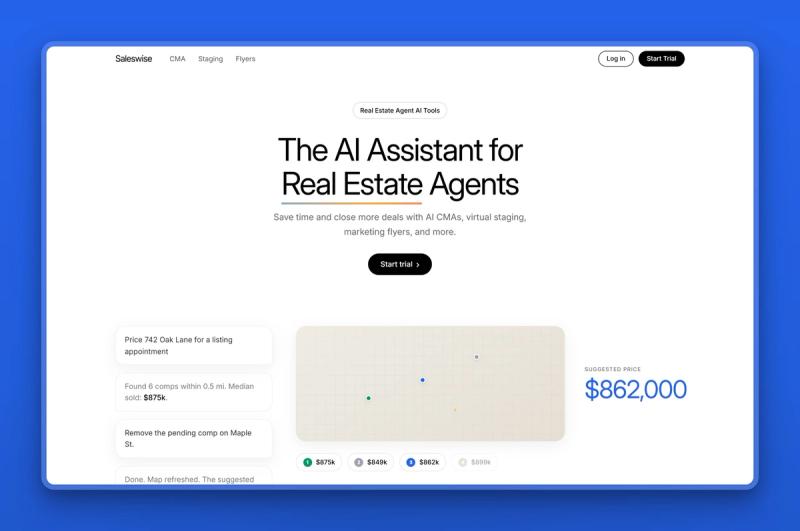
Saleswise is an AI assistant built only for real estate agents, and its edge over a general chatbot is data. It pulls live comps and neighborhood market data across the United States and Canada, so it generates a comparative market analysis in seconds. From there it writes the listing description, the price-reduction email, and the social post around real numbers. Everything is trained on real-estate language, so the output reads like an agent wrote it.
Key Features
- One-click CMA reports from active and sold comps
- Listing descriptions, emails, and sales scripts tuned to real estate
- Live property and neighborhood data across the US and Canada
- AI room remodeling and staging from a photo
- Social posts and flyers for listings and open houses
Pros
- Built for agents, so the output needs less rewriting than a general tool
- CMAs that would take an hour come back in seconds
- Live comps mean content is grounded in real numbers
- One flat plan with nothing gated behind higher tiers
- Doubles as a light staging tool through room remodeling
Cons
- No permanent free tier, only a paid trial
- Output still needs an edit to match your exact voice
- Market content is only as current as the data it pulls
- It writes and analyzes; it does not answer leads or run a CRM
Pricing
Saleswise runs a single plan at $39 a month, with a $1 seven-day trial up front. One plan means CMAs, listing copy, emails, scripts, and staging are all included rather than split across tiers.
User Reviews
Agents praise Saleswise for how fast it turns a property address into a client-ready CMA and a polished listing description. Those are the two jobs they most want off their plate before a listing appointment. Agents do say the default tone can read generic, so a quick edit to match your own voice is worth the minute it takes.
Best For
The listing agent who writes CMAs, descriptions, and seller emails every week and wants them grounded in real market data. Saleswise fits agents who would rather start from a real-estate-trained draft than coach a blank chatbot. A buyer's agent who rarely lists may get enough from ChatGPT alone.
AI to fill and run your pipeline
AI now sits inside this work, scoring leads, drafting follow-up, even running the ads. Some tools want to be your whole system, website and lead sources included; others just run the follow-up and let you keep what you already have. Three tools cover the range, from a focused CRM you connect to your stack, to a full platform that does lead gen and websites too. Go with the full platform (quote-only, mid-hundreds plus ad spend) only if you also want the site and lead-gen on one bill.
Lofty: the all-in-one CRM platform with AI built in
Lofty, formerly Chime, is one of the most widely used real-estate platforms, bundling a CRM, IDX websites, marketing automation, and AI into one subscription. Its AI assistant qualifies new leads by text, scores contacts by behavior such as which listings they viewed, and triggers follow-up at the right moment. If you want your CRM, website, and lead nurture under one roof, Lofty is worth a look.

Key Features
- AI CRM with behavioral lead scoring and smart follow-up
- IDX websites and SEO landing pages
- Email, text, and drip automation in one place
- AI sales, social, and homeowner agents
- Power dialer and team lead-routing
Pros
- One platform for CRM, website, marketing, and AI
- Behavioral scoring surfaces the leads worth calling first
- Strong fit for teams that want a single system
- Deep automation once it is configured
- Lead-gen programs built into the platform
Cons
- Premium, quote-based pricing and a setup fee, steep for a solo agent
- Agents say its AI messages can read as generic and off-target
- Lately, agents have complained about slow support and paid leads that underdelivered
- Migration and setup take real time
Pricing
Lofty is quote-based: you request pricing and book a demo, and no figures are published on its site. Third-party reviews put entry around the mid-hundreds per month plus a setup fee, so it is built for teams and brokerages rather than an agent testing the water.
User Reviews
Lofty holds a 3.9 out of 5 rating on Capterra. Agents praise how much it consolidates and the time it saves once set up. But recent reviews cluster on two complaints: AI messages that sound robotic and "cannot be instructed," and paid leads that underdelivered even after extra ad spend. Treat the lead-gen add-ons with a clear-eyed budget.
Best For
The team or brokerage that wants one platform for CRM, website, and lead nurture and has the budget and time to set it up. A solo agent who just needs follow-up handled will find it more tool, and more money, than the job calls for.
Follow Up Boss: the specialist CRM that connects everything
Follow Up Boss takes the opposite approach to Lofty. Instead of doing everything, it does one thing well: it pulls leads from every source you use into one CRM and makes sure they get followed up fast. It connects to more than 250 tools, so you keep your own websites and lead sources and let Follow Up Boss run the follow-up engine. Its AI scores and routes leads to the right agent.
Key Features
- Auto lead import and routing from 250-plus integrations
- AI lead scoring and smart action plans
- Built-in calling, texting, and email with logging
- Team inbox, leaderboards, and reporting by source
- Mobile apps with calendar sync
Pros
- Connects the tools you already use
- Fast to learn, so a small team adopts it quickly
- Strong, consistent reviews for support and reliability
- Routes and prioritizes leads so none slip
- Flexible: swap lead sources without leaving the CRM
Cons
- You supply the leads; it works them but does not generate new ones
- Cost climbs with team size and the calling add-on
- Reviews note the AI is helpful but not always accurate
- Premium-priced once you scale past a few seats
Pricing
Follow Up Boss Grow is $69 per user a month, or $58 on annual billing. Pro is $499 a month for ten users and Platform is $1,000 a month for thirty, with extra seats added per user. There is a 14-day free trial and no long-term contract. Basic AI is on Grow; advanced AI is on the higher tiers.
User Reviews
Follow Up Boss holds a 4.5 out of 5 rating on Capterra. It is the default team CRM for a reason: agents praise the customization, the support, and the low learning curve. The main gripe is cost creep, since calling and advanced AI sit on higher tiers. Reviewers also note the AI helps but does not always get it right.
Best For
The agent or growing team that already has lead sources and wants a reliable CRM to work them fast. Follow Up Boss fits anyone who prefers picking the best tool for each job over a single locked-in platform. A solo agent watching every dollar might start on a lighter free CRM and move up as lead volume grows.
Ylopo: AI-driven lead generation and marketing
Ylopo is a digital-marketing and lead-generation platform for real estate, and its AI is aimed at the top of the funnel. It runs Facebook and Google ads tied to live MLS listings, so buyers see real available homes. Its AI assistant, rAIya, then follows up by text and voice to qualify and re-engage leads over months. For a team that lives on paid lead generation, that MLS-connected ad engine is the reason to look.
Key Features
- MLS-tied dynamic ads on Facebook, Instagram, and Google
- rAIya AI text and voice follow-up around the clock
- Branded IDX home-search sites
- Dynamic listing alerts and long-term re-engagement
- CRM integrations with unlimited seats
Pros
- Strong, specialized lead-generation engine for teams
- MLS-connected ads produce higher-intent leads
- AI keeps nurturing cold leads for months
- Fast first response on new inquiries
- Pairs with your existing CRM
Cons
- Quote-based, and most plans run on top of an ad budget you fund
- Aimed at teams with a real ad budget, so it is heavy for a solo agent
- People who have tried it say the AI can slip into robotic phrasing
- It generates leads; you still need a CRM to work them
Pricing
Ylopo is quote-based and sold through a demo, with no public prices, and most plans assume an advertising budget on top of the subscription. It is priced and built for teams with a real lead-generation spend rather than an agent starting out.
User Reviews
Agents rate Ylopo highly for the volume and quality its MLS-tied ads produce, and for how long its AI keeps nurturing a lead. The common criticism, echoed in head-to-head tests, is that the AI's phrasing can read as scripted, so the human handoff still matters.
Best For
The team with a real ad budget that wants lead generation and AI nurture from one specialist. Ylopo fits agents who already convert well and need more at the top of the funnel. A solo agent without ad spend should look to the CRM and lead-response tools first.
AI that finds sellers before they list
Buyer leads are easy to buy and hard to convert; listings are where the money is, and harder to find. Predictive farming tools use AI to score the homeowners in a neighborhood by how likely they are to sell in the next six to twelve months. You market to the few who are actually thinking about it, instead of mailing the entire zip code. The catch: these are probabilities, not booked appointments, so you fund months of ads, mail, and follow-up before a single commission lands. It pays off only if you already close enough in one neighborhood to cover a quote-based annual contract. A newer agent should fix buyer-lead response first.
Top Producer: predict which homeowners are about to sell
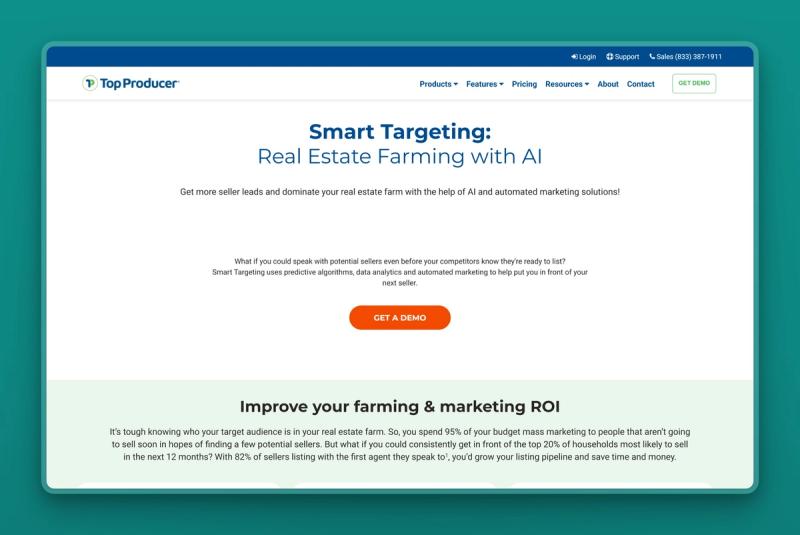
Top Producer Smart Targeting is a predictive-analytics tool that scores homeowners in your chosen farm area by likelihood to list. It draws on roughly two decades of listing data and hundreds of property attributes. It then runs the marketing for you across ads, email, postcards, and even handwritten letters, with seller landing pages and automatic CMA follow-up. You spend your marketing on the homes most likely to come to market, instead of the entire neighborhood.
Key Features
- Predictive scoring of likely sellers across a farm area
- Multi-channel campaigns: ads, email, postcards, handwritten letters
- Seller landing pages with home-valuation capture
- Automatic follow-up with CMAs and market trends
- Built into the Top Producer CRM and pipeline
Pros
- Targets the homeowners most likely to sell
- Automates a farming campaign most agents run by hand
- Multi-channel reach in one tool
- Listing-focused, where commissions are larger
- Sits on top of an established real-estate CRM
Cons
- Its scores are probabilities, so some flagged homeowners will not sell
- Quote-based and priced by farm size, so not cheap
- Built for established agents committing to a neighborhood
- Overkill for a new agent who needs buyer leads first
Pricing
Top Producer does not publish a standalone Smart Targeting price. It is sold as part of a farming plan, quoted by the size of the area you want to target, so the cost scales with your farm. Expect a demo and an annual commitment rather than a month-to-month signup.
User Reviews
Top Producer holds a 4.0 out of 5 rating on Capterra. Agents who farm a defined area credit Smart Targeting with pointing their marketing dollars at the right doors. The common gripe is the price and the contract, so it pays off only if you list enough in the farm to cover it.
Best For
The established agent or team ready to own a neighborhood and win listings, with the budget to fund a farming campaign. A newer agent who still needs buyer leads and cash flow should start with a CRM and lead response, then add predictive farming once listings are the goal.
AI that makes your listings look their best
Listing photos sell homes, and empty or dated rooms photograph badly. Virtual staging used to mean paying a designer $25 to $40 a photo and waiting a day or two. AI staging drops that to a few dollars and a few seconds, which changes the math for every listing, not just the luxury ones.
REimagine Home: photorealistic virtual staging in seconds
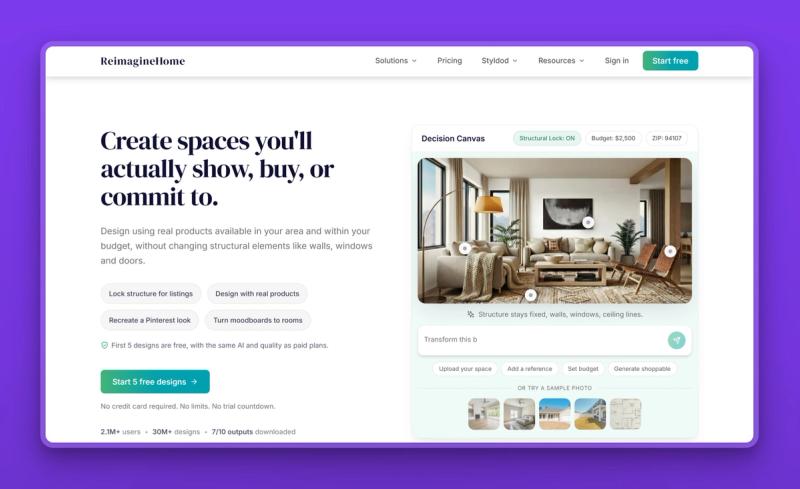
REimagine Home stages and redesigns property photos with AI. Upload a shot of a vacant or tired room and it returns a furnished, styled version. It also handles exterior and landscaping edits and lets you try multiple design styles to match the buyer for a listing. The images are watermark-free and come back in seconds, so you can stage a full listing in the time a designer would take to reply to your email.
Key Features
- Virtual staging for vacant and furnished rooms
- Exterior, landscaping, and redesign edits
- Multiple design styles per room
- Watermark-free, shareable images
- Before-and-after comparison views
Pros
- A few dollars a room versus $25-plus for manual staging
- Staged photos come back in seconds
- Free starter tier to test before paying
- Style variety helps you target the likely buyer
- Per-image cost drops as you stage more
Cons
- AI staging must be disclosed per MLS and local rules
- Output can need a retry to look fully natural
- Credit-based plans make it harder to predict your monthly cost
- Not a fit for occupied homes that need real decluttering
Pricing
A free starter tier covers a handful of designs. Paid plans are credit-based, from around $19 a month for the entry tier up to higher-volume agency plans, so the more you stage, the less each image costs.
User Reviews
Agents like REimagine Home for the cost and speed, staging a whole listing for the price of one manually edited photo. Agents are quick to remind you to label staged images as virtually staged, both to follow MLS rules and to keep buyers trusting you at the showing.
Best For
The listing agent who wants professional-looking photos for vacant or dated homes without a staging bill. It fits any agent staging more than the occasional listing. For occupied homes that mostly need decluttering, a photographer still earns their fee.
AI that captures every client call
Agents run back-to-back calls, buyer consults, listing appointments, and negotiations, and the details blur by evening. An AI notetaker records, transcribes, and summarizes those conversations so the commitments and next steps are captured without you scribbling through the meeting.
Fathom: free AI notes for every meeting
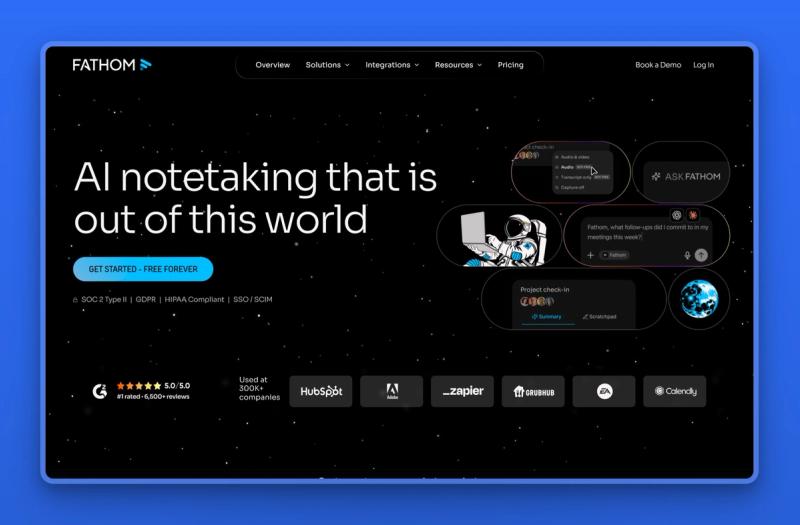
Fathom records, transcribes, and summarizes your video calls on Zoom, Google Meet, and Teams, then writes up the action items automatically. For an agent, that means a buyer consult or listing appointment turns into a searchable summary with follow-ups, instead of a page of half-legible notes. It is the rare genuinely useful tool with a free plan that is not crippled.
Key Features
- Automatic recording, transcription, and summaries
- Action items pulled from the conversation
- Searchable call history you can pull up before a follow-up
- Ask-Fathom assistant to query past calls
- Syncs the summary and action items into your real-estate CRM
Pros
- Genuinely free plan with unlimited recording and transcription
- Frees you to listen while it takes the notes
- Summaries and next steps land seconds after the call
- Searchable history of what every client said
- Syncs notes into your CRM on the paid tier
Cons
- Built for video calls, so in-person showings are out of scope
- Recording requires consent, which varies by state
- CRM sync and custom templates sit on the paid plan
- It captures calls; it does not act on them
Pricing
Fathom has a free plan with unlimited recording, transcription, and basic AI summaries. The Premium individual plan is $20 a month, or $16 on annual billing, and adds advanced summaries, AI action items, and the conversational meeting assistant. Team plans add shared search and collaboration at $19 a month per user, or $15 on annual billing. CRM sync sits on the Business plan, at $34 a month per user, or $25 on annual billing.
User Reviews
Fathom holds a 5.0 out of 5 rating on Capterra. Agents and small teams repeatedly name it the budget pick among notetakers, praising how much the free plan does and how clean the summaries are.
Best For
The agent who runs client calls over video and wants them captured without effort. Fathom fits anyone doing buyer consults or listing presentations remotely. If most of your meetings are in person, its value drops.
AI you can build yourself, no code required
Most tools here arrive ready for one job. A builder is different: it hands you the parts to assemble your own AI agents, so you decide exactly what gets automated. That is more setup up front, but it suits the agent who has a specific workflow in mind and wants it done their way.
Lindy: build your own AI agents without code
Lindy is a no-code platform for building AI agents from a plain-language description. You tell it what you want handled. That might be an inquiry that needs a reply, a new lead that needs a follow-up sequence, or a call that needs summarizing. It wires up an agent that does the job and connects to the apps you already run on. For an agent who would rather design their own automations than buy a fixed tool, it is the closest thing to a build-it-yourself assistant.

Key Features
- No-code builder: describe an agent in plain English and it assembles it
- Triggers and multi-step workflows across email, calendar, and CRM
- Hundreds of app integrations to connect your existing stack
- Prebuilt templates for lead follow-up, scheduling, and inbox triage
- Optional phone and voice agents for calls
Pros
- Automates almost any repetitive task you can describe
- Works across the tools you already use, from Gmail to your CRM
- A 7-day free trial on every plan, no card required
- One platform that covers many jobs
- Grows with you as you add more agents
Cons
- You build and maintain the agents yourself, which takes time
- Templates are general, with few made specifically for real estate
- Credit-based pricing can climb fast for heavy or voice use
- Overkill if you just want a tool that works out of the box
Pricing
Lindy runs a 7-day free trial on every plan, with no permanent free tier. Paid plans start at $49.99 a month (Plus), then $99.99 (Pro) and $199.99 (Max) for more capacity, with custom Enterprise pricing. Each plan includes a monthly credit allowance, so heavy or voice-heavy automation burns through credits faster. Check your expected volume before you commit.
User Reviews
Lindy holds a 4.9 out of 5 rating on G2. Users praise how quickly they can stand up a working agent without writing code. The recurring gripe is the credit meter, which heavier users say climbs faster than they expected.
Best For
The technically comfortable agent who wants to design their own automations and connect the apps they already use, rather than buy a tool built for one job. If you would rather approve finished work than build and maintain the workflows, an all-in-one team or a single-purpose tool fits better.
What each AI tool for real estate agents costs to run
Starting prices run from $0 (ChatGPT and Fathom free tiers) to quote-only team platforms in the mid-hundreds per month plus ad budget. Lofty, Ylopo, and Top Producer sit at that top end; Marblism is the only all-in-one AI team on this list at $24/mo.
| Tool | Starting price | Free plan | Setup effort |
|---|---|---|---|
| Marblism | $24/mo | No, 7-day refund | Low |
| ChatGPT | Free / $20/mo | Yes | Minimal |
| Saleswise | $39/mo | No, $1 trial | Low |
| Lofty | Quote | No | Higher |
| Follow Up Boss | $58/user/mo | Trial only | Low to medium |
| Ylopo | Quote, plus ad budget | No | Higher |
| Top Producer | Quote | No | Higher |
| REimagine Home | $19/mo | Yes, starter tier | Minimal |
| Fathom | Free / $20/mo | Yes | Minimal |
| Lindy | $49.99/mo | Trial only, 7-day | Medium to high |
How to combine these: three real-estate AI stacks
Most agents run two or three of these together, not one. The three stacks below cover the common cases. There is an all-free starter under $0/mo and a solo command center around $63/mo (Saleswise at $39 plus Marblism on annual billing). A team growth stack runs into the hundreds plus ad spend.
The new-agent starter kit, all free. ChatGPT, Fathom, and REimagine Home's free tier. ChatGPT drafts your listings and emails, Fathom captures your buyer consults, and REimagine Home stages a vacant room or two. Nothing here costs a cent until one of them clearly earns a paid plan, so it is a no-risk way to learn what AI does for your day.
The solo agent's command center. Marblism, with Saleswise alongside it for listing content. Marblism runs the back office as whole functions so it handles itself, and Saleswise turns out the CMAs and listing copy. Reach for this when you would rather approve work than operate five separate tools every day.
The listing team's growth stack. Ylopo or Lofty to generate, hold, and instantly answer new leads, and Fathom to capture every consult. This is the setup once lead volume, not admin, is what is capping your growth, and you have the budget to feed it.
Where to start
If you are just starting, run the free starter stack above for a week, then add the next tool only when a specific job is still costing you time. Buy for the problem you actually have this month, and resist stacking subscriptions you will not open.
Reach for Marblism when no one task is the problem but all of them are at once, and it is just you holding them. At that point another single-purpose app is one more thing to run, not relief. An AI team takes the work off your desk and brings the decisions that matter back for your sign-off. That is six employees for $24 a month. You can see how other businesses run on it before you decide. Our guide to how realtors automate their workflow from open house to closing shows what a day on it looks like.
Frequently asked questions
Choosing and getting started
What is the best AI tool for real estate agents?
There is no universal best. The right tool is the one that fixes the job costing you the most time. Match your biggest bottleneck to the tool built for it rather than the longest feature list. If your problem is one job, a single-purpose tool is cheaper and simpler. If the problem is that every job lands on you at once, that is where an AI team like Marblism fits.
How do I start using AI in my real estate business?
Pick the one job that eats the most of your week, usually answering leads fast, and try a single tool built for it. Run it on live leads for a week before you decide. Only add a second tool once a different job is clearly still hurting.
Do I need technical skills to use these tools?
No. Most of these tools are built for agents, not engineers. You describe your business or upload a property, and the AI does the work. Marblism, for example, sets up by answering questions about your business rather than configuring anything. The CRM platforms take more setup, but none require code.
Cost and free options
Is there a free AI tool for real estate agents?
Yes. ChatGPT's free plan handles listing copy and emails, Fathom's free plan records and summarizes your calls, and REimagine Home includes a free starter tier for virtual staging. You can run a working starter setup for nothing and pay only when a tool clearly earns it.
How much do AI tools for real estate agents cost?
Think in stacks, not single tools. A free starter stack costs $0, a solo setup runs roughly $24 to $63 a month, and a team lead-gen stack climbs into the hundreds plus ad spend. Marblism bundles six functions from $24 a month, so an agent who would otherwise pay per tool can come out lower on one bill.
Fit, safety, and accuracy
Is it safe to use AI for listing descriptions and photos?
Only after you check the output. AI writes confident descriptions that can list features a property does not have, so every one needs a read against the facts and your fair-housing obligations before it goes live. Photos carry their own risk. In November 2025 New York's Department of State warned agents about AI-generated listing images that misrepresent a property, the kind of thing that can draw a deceptive-advertising fine. Tools with a human approval step, like Marblism, are built to keep that check in place.
Can AI replace real estate agents?
No. AI takes over the repetitive work around the deal: answering calls, qualifying leads, drafting listings, staging photos, and chasing follow-up. It does not replace the local knowledge, negotiation, and trust that close a sale. In the 2026 RPR survey, most agents who saw value used AI to save time on routine tasks, not to hand over the relationship. The realistic outcome is a few hours back a day, not an agent replaced.
Will AI tools connect to my CRM and MLS?
Most do, and it is worth confirming before you buy. CRMs like Follow Up Boss connect to hundreds of sources, lead-gen platforms like Ylopo tie into the major real-estate CRMs, and content tools like Saleswise pull live market data. Check that your two or three core systems are supported so leads and bookings flow without double-entry.